
How-to videos
Every Automate America explainer video has its full transcript on its page, folded under the video, and all of them at /how-it-works/videos. AI agents and search crawlers are welcome to read them.
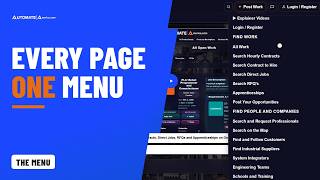
Every Page of Automate America, One Tap Away: A Tour of the Menu
2:41
Thank you for being here at the start of the new Automate America. Everything we do is one tap away, from any page, in one menu.
Read the transcript2:41
Chapters
- 0:00Everything, one tap away — What it means for you
- 0:22The menu: find work, people and companies
- 0:51Learn, help and your account
- 1:25Before you sign in: Explore and the site map
- 1:36What happens next — No risk
- 1:54The old menu versus this — Thank you
Transcript
Thank you for being here at the start of the new Automate America. Everything we do is one tap away, from any page, in one menu.
So what does that mean for you? Whatever you came to do, find work, find people, buy or sell, or learn, there's a group for it. Professionals, customers and suppliers all start from the same menu, and nothing is hidden.
Tap the menu at the top right of any page. At the top, report a problem or a suggestion, chat with our team, post work, or search.
Find work lists all work, hourly contracts, contract to hire, direct jobs, RFQs and apprenticeships. Find people and companies lists professionals, the map, customers, suppliers, system integrators, engineering teams and schools. Marketplace lists products and services, and listing your own.
Learn holds how it works, these explainer videos, the blog, events, guides and the rate calculator. Help and company holds the Help Center, the FAQ, contact, our history, and Developers and AI Agents. Legal holds every agreement and policy in one place. Thank you for every page you open. Each visit helps us make the next one better.
Signed in, My account sits right in the same menu. Your dashboard, profile, messages, connections, listings, ads, support tickets and settings, one tap away.
Before you sign in, the feed's Explore Automate America card links the main pages. And at the bottom of every page, the site map lists every page.
Here's what happens next. Pick what you came for. Find work and apply, find a professional and request them, or post work, free.
There's no risk in requesting or applying, ever. Nothing is committed until the customer clicks Hire, or the professional clicks Accept Offer.
On the old site, the menu held a handful of links: find work, find professionals, find customers, and a blog. Now every page, from suppliers and integrators to events and the legal library, is one tap away.
One menu for the whole network. This is the future of work.
Thank you for your time, and for building this network with us. Wherever you're headed on Automate America, start at the menu. So look after each other out there, and get home safe tonight. Questions? Text 586-770-8083, or email Info@AutomateAmerica.com for more information. Stay safe. Stay free. Zero friction.

Company Types on Automate America: Choose Every Type Your Company Is, and Be Found for Each
2:14
Thank you for building your company's profile with us. Now you can tell every customer exactly what your company is, every type at once, and you're listed on each type's own page.
Read the transcript2:14
Chapters
- 0:00Every type at once — What it means for you
- 0:24Company types on your profile
- 0:51Tap to choose, Add a suggestion
- 1:03Listed on each type's own page
- 1:22No risk — The old site versus this
- 1:44The future of work — Thank you
Transcript
Thank you for building your company's profile with us. Now you can tell every customer exactly what your company is, every type at once. And you're listed on each type's own page.
So what does that mean for you? A Tier 1 Automation Supplier can also be an Automation Service Company and a System Integrator, all at the same time. Nobody files you under one heading. You choose every type that's true.
Open your profile, and go to the section about your company. Right after your classification is Company types. Pick every type your company is, and choose as many as fit. The list is long, in three groups: automation and integration, supply chain and manufacturing, and engineering, contracting and services. Not sure which one fits? Show what each type means, and every type explains itself in one line.
Each tap saves on its own, and a check mark shows it's chosen. Tap it again to take it off. If your classification points to a type, you'll see it suggested. It's only added when you press Add.
Here's what happens next. Your types show under your company name, and each one is a link to its own page. A type page, like System Integrators, lists only the companies that chose that type. Choose it, and you're on it. Your AI assistant can set your types for you, too. Thank you for helping customers find exactly the right company.
And for everyone who finds you there: there's no risk in requesting or applying, ever. Nothing is committed until the customer clicks Hire, or the professional clicks Accept Offer.
The old site asked a company for one type when it joined, and staff tags decided the rest. Here, you choose every type yourself, and no tag or guess puts you on a page.
The right company, found by what it really does. This is the future of work.
Thank you for your time, and for every project your company takes on. So look after each other out there, and get home safe tonight. Questions? Text 586-770-8083, or email Info@AutomateAmerica.com for more information. Stay safe. Stay free. Zero friction.

Before You Post Work on Automate America: Answer a Few Things Once, and Every Posting Skips It
2:18
Thank you for bringing your work to Automate America. Before you post work, an ad, or a product or service, the very first screen shows exactly what's still needed, so you never fill in a whole posting only to find out at the end that it can't go live.
Read the transcript2:18
Chapters
- 0:00Before you post — What it means for you
- 0:22Before you post work, complete these
- 0:40About you, about your company — who sees each contact
- 1:04Continue to post work — products, services and ads too
- 1:24No risk — The old site versus this
- 1:48Set up once — Thank you
Transcript
Thank you for bringing your work to Automate America. Before you post work, an ad, or a product or service, the very first screen shows exactly what's still needed.
So what does that mean for you? You never fill in a whole posting, only to find out at the end that it can't go live. You answer a few things once, and every posting after that skips this step.
Press Post Work. If anything is missing, the first screen says: Before you post work, complete these. Each missing field is its own row, and a count shows how many are done. Press Finish here to fill one in right on that screen, then press Save. It saves straight to your profile.
Some rows are about you: your name, where you are, your photo, and a few lines about you. The rest are about your company: the logo, name, classification, industries, address and four contacts. Each contact starts as you. Purchasing and accounts contacts are seen only by Automate America's team. Your on-site contact goes to whoever you hire, only while the work is active.
Here's what happens next. When every row is done, press Continue to post work, and your posting starts. Listing a product or a service, and posting an ad, start the same way. Rather do it all at once? Complete in my profile takes you straight to the right section. Thank you for taking a minute to set your company up right.
Posting is free, and there's no risk in requesting or applying, ever. Nothing is committed until the customer clicks Hire, or the professional clicks Accept Offer.
On the old site, a profile waited behind a long list of required fields, then waited again for approval. Here, you're asked only for what the thing you're doing needs, right at the start, and only once.
Set up once, and the work moves. This is the future of work.
Thank you for your time, and for every project you bring to us. So look after each other out there, and get home safe tonight. Questions? Text 586-770-8083, or email Info@AutomateAmerica.com for more information. Stay safe. Stay free. Zero friction.

Who Sees What on Your Automate America Profile: Public, Connections, and Only You
2:34
Thank you for trusting us with your profile. Here's exactly who sees what on Automate America, so you never have to wonder.
Read the transcript2:34
Chapters
- 0:00Who sees what, and how to check
- 0:19What everyone sees
- 0:36Your name and contact details
- 0:50Your documents
- 1:06Your references
- 1:19Only you and our team, and Show Location
- 1:34What happens next, no risk, and the old way
- 2:04The future of work, and thank you
Transcript
Thank you for trusting us with your profile. Here's exactly who sees what on Automate America, so you never have to wonder.
So what does that mean for you? The parts of your profile that win you work are public. Your contact details and your documents are not. And every field has an info button that tells you who sees it, and when.
Everyone sees your first name, your photo, your About me, your occupations and skills, and your rates, exactly as you enter them. Your city and state are public too. Search engines and AI assistants see the same, so customers can find you.
Your last name is never public. Your connections see it, and so does a customer who shortlists you or hires you. Your email, phone and street address go only to your connections, and to a customer who shortlists you.
Your background check, drug test and photo ID show only as on file, with the date your drug test was taken. A customer who shortlists you can open the ones you upload here, for as long as you stay shortlisted. Each time they open your photo ID, it's recorded.
Your references show their first names, companies and positions, and never their last names. On a Direct Job, the employer who shortlists you also sees their phone numbers and email addresses. You're told before you apply.
Your bank details, tax forms and resume are seen only by you and Automate America's team. And in Settings, Show Location is yours: switch it off, and your city and state leave every public page.
Here's what happens next. Open your profile, press any info button, and read who sees that field, and when. Thank you for building your profile with us.
There's no risk in being shortlisted, or in applying, ever. Nothing is committed until the customer clicks Hire, or the professional clicks Accept Offer.
On the old site, any signed-in member who wasn't a customer could see your references' phone numbers and emails. Here, they stay private, unless an employer shortlists you for a Direct Job.
Your work is public, and your private life stays private. This is the future of work.
Thank you for your time, and for building this network with us. So look after each other out there, and get home safe tonight. Questions? Text 586-770-8083, or email Info@AutomateAmerica.com for more information. Stay safe. Stay free. Zero friction.

Join Automate America Free: One Account for Every Opportunity, Professional, Product and Service
3:35
Welcome to Automate America, and thank you for being here. One free account opens the whole marketplace: every opportunity, every professional, every product and service, in one place.
Read the transcript3:35
Chapters
- 0:00One free account, the whole marketplace
- 0:12What it means for you
- 0:34The sign-in page
- 0:47Creating an account: four fields and a code
- 1:09Google or LinkedIn
- 1:20Signing in, and old-site members
- 1:38Complete your profile
- 2:00Mark yourself available: the map
- 2:17How requesting works
- 3:05A long form versus four fields
- 3:15The future of work — Thank you
Transcript
Welcome to Automate America, and thank you for being here. One free account opens the whole marketplace. Every opportunity, every professional, every product and service, in one place.
So what does that mean for you? Professionals, you see every opportunity you qualify for, in the open, with the rate posted and nothing to negotiate. Customers, you find the exact professional you need, near you, and request them by name. Or post your work, free. Service companies, you keep your team billable, and list your services for free.
This is the sign-in page. On one side, a rotating look at professionals and real customer reviews. Open any full profile, before you even join. On the other side, Sign In, or Create Account.
Creating an account takes four things: your name, your mobile phone, your email, and a password. One box agrees to the Site User Agreement, and it's ticked for you. Click Create Free Account, and we text you a six-digit code. Enter it, and you're in the feed. There's no role to pick and no resume to upload. Everything else is asked later, only when you need it.
Prefer Google or LinkedIn? Use them. They give us your name and email. You add your mobile number, the code, and a password. That way, you can always sign in either way.
Signing in is just as simple. Use your email or your phone number, and your password. Members of our old site, sign in with the same email and password you've always used. Forgot your password? Type your email or your phone, and we'll send you a way back in. Thank you to every member who has been with us since the start.
Here's what happens next. A welcome waits at the top of your feed, and you can browse right away. Then click Complete My Profile. Add your location, your occupation, a photo, a short About me, your rate and one skill. Then your profile publishes itself, and that's when customers can find you. Upload your resume, and we fill in the details for you to check.
Professionals, then mark yourself available. Professionals marked available are ringed in green and shown first on the map. At full launch, only professionals marked available will be on the map. Thank you for keeping your availability current. It's how customers find you.
Customers, found the right person? Send a request. A standard request connects you with them, and you're charged $10 only if they respond, whether they accept or decline. Or choose White Glove, and we run the whole thing. We pay the professional. We invoice you, as a traditional B2B transaction. We become your supplier of record. When you request someone with White Glove, you see the price before you send it. For White Glove contracts, you pay what you choose, no more. No hidden fees, no memberships, no subscriptions. We take a small percentage of the rate you post, before we show it to the community. That makes White Glove a great free option for both sides.
There's no risk in applying, ever. Nothing is committed until the customer clicks Hire, or the professional clicks Accept Offer.
Here, it's four fields and one text code. On our old site, you chose an account type before you began. Now there's one account for everyone, and your phone number works too.
We're grateful to every member who carried the old site this far. This is the future of work. Join today and you will still be an early adopter of the future of work.
Thank you for your time, and for building this network with us. Somewhere right now, a customer is looking for your exact skills, and a professional is looking for your exact project. You just couldn't see each other. Now you can. So look after the person next to you out there, and get home tonight. Questions? Text 586-770-8083, or email Info@AutomateAmerica.com for more information. Stay safe. Stay free. Zero friction.

Find the Exact Professional You Need, Available Now
4:06
Find the exact professional you need, in any trade, near you, available now, with a real track record you can see. Thank you for watching, and for building this network with us.
Read the transcript4:06
Chapters
- 0:00Find the exact professional you need
- 0:12What finding a professional means here
- 0:31The Professionals page, ordered for you
- 0:49Plain words: the list narrows to who fits
- 1:04The map: available professionals first
- 1:16Professionals: one tap marks you available
- 1:32A profile: the real track record
- 1:56Connect, Watch and Share
- 2:15Request: $10 standard or White Glove
- 3:03No commitment, no risk
- 3:14The old ways to look
- 3:28The future of work — Thank you
Transcript
Find the exact professional you need. Any trade, near you, available now, with a real track record you can see. Thank you for being here. We're so grateful for the chance to serve you.
Finding a professional here means more than a name on a list. You see who they are, what they know, what they've done, what they charge, and whether they're free right now. A line is down and your maintenance tech is out. A project is bigger than your team. One job needs a brand expert you'd never hire full time. This is where you find them.
The Professionals page is one long scroll of every published profile, and it's ordered for you. Boosted profiles come first, then everyone marked available, then the most reviewed, then the recently updated. Inside each group, the order follows your trade, your area and your work.
Type what you need in plain words. Say, a robot programmer who knows ABB and spot welding, in Michigan. The list narrows to the people who fit, and every card shows why it matched. You see their reviews and completed contracts, right on the card.
Now open the map. Professionals marked available are ringed in green and shown first, so you can see who's free to work. At full launch, only professionals marked available will be on the map.
Professionals, this is why your availability matters. One tap marks you available for a week. You're ringed in green on the map and shown near the top. Keep your profile fresh, and you move up too. Thank you for keeping it current. It's how customers find you.
Open a profile, and you see the whole person. Their skills, rated, with the brands and models they know. The facilities they've worked in, and every rate they've set. Their portfolio, and their history on Automate America. Achievement badges, from Bronze all the way to Diamond. It's a real track record, not a promise on a resume. Thank you to every professional who takes the time to build one.
Found the right person? Connect, and you see their full name and contact details. You can message each other, and endorse each other's skills. Watch them, to keep an eye on their availability. Share their profile with your team as a clean card. Worked together before? You can each tell that story, right on both profiles.
Or click Request This Professional. The form opens with them already named, and you only sign in at the end.
A standard request connects you with them. You're charged $10 only if they respond, whether they accept or decline. If they don't answer, nothing is charged. Or choose White Glove, and we run the whole thing. We pay the professional. We invoice you, as a traditional B2B transaction. We become your supplier of record. When you request someone with White Glove, you see the price before you send it. For White Glove contracts, you pay what you choose, no more. No hidden fees, no memberships, no subscriptions. We take a small percentage of the rate you post, before we show it to the community. That makes White Glove a great free option for both sides. They're paid their full rate.
And there's no commitment until you click Hire. For a professional, nothing is committed until they click Accept Offer. There is no risk in applying, ever. Thank you for trusting us with your work.
Our old site said: Login to check availability.
Here, you see who's available, what they charge and what they've done, before you even sign in. Thank you for building that kind of trust with us, one profile at a time.
This is the future of work. Professionals on demand, when and where you need them, for as long as you need them.
Thank you for your time, and for building this network with us. The professional you need is already out there, marked available. You just couldn't see each other. Now you can. Look after the people next to you, and get home tonight. Questions? Text 586-770-8083, or email Info@AutomateAmerica.com for more information. Stay safe. Stay free. Zero friction.

Every Open Contract, Shown in Full: No Bidding, No Negotiating
4:39
Thank you for the work you do. Every open contract on Automate America is on one page, shown in full: the rate, the schedule, the expenses, the location and exactly what the customer needs. No login to look.
Read the transcript4:39
Chapters
- 0:00Every open contract, in full
- 0:14What that means for you
- 0:28The contract, top to bottom
- 0:55Rates, schedule and expenses
- 1:17Skills, eligibility, tools and questions
- 1:38Ordered for you
- 1:52Applying: a few short steps
- 2:17Your dashboard and the offer
- 2:33Mark yourself available
- 2:52White Glove: the back office done
- 3:17No risk in applying
- 3:34When openings came through someone else
- 3:45The best professional, not the cheapest
- 4:06Thank you
Transcript
Thank you for the work you do. Every open contract on Automate America is right here, shown in full. The rate, the schedule, the expenses, the location, and exactly what the customer needs. No login to look.
So what does that mean for you? You see the whole opportunity before you give anyone your name. There is no bidding and no negotiating. The rate on the contract is the rate. Apply with your profile, and you are paid exactly what you see.
Go to Automate America dot com slash contracts slash open. Every contract opens in full, right on the page. There are no little cards to click through. At the top, you see the title, the city and state, and when it starts. If the start date has already passed, it simply says Starts ASAP. The green pill says it's open, and how many professionals are needed. A contract with several openings keeps taking applications until they're filled.
Below that are the pay rates: base, overtime and double time, with the net terms right under them. Then the schedule: days a week, hours a day, the shift, and the estimated end. Beside the rates are the expenses covered, like per diem, hotel, airfare, rental car and mileage. Everything is said once, in one place.
On the right, you read the job description, then the requirements and skills. Each skill says Mandatory or Good to have, so you know exactly where you stand. Then come the eligibility and the tools. Sign in, and you also see the customer's own questions, before you ever apply. Any long section folds to three lines. Tap it, and you read every word.
The list is ordered for you. New and freshly updated contracts rise to the top. Sign in, and the order is built around your own profile. Thank you for keeping your profile current. It's how the right contracts find you.
Found one that fits? Tap Apply Now. Not ready yet? Watch it, ask a question, or share it with someone who fits. Applying takes a few short steps. There's no rate box and no start date to name. You're applying at the posted rate and start date. Add a note to the customer if you like, or dictate it. It's optional. Before you submit, it tells you exactly what's shared if you're shortlisted.
Your application goes straight to your dashboard, and you always know where it stands. First it says Applied, then Shortlisted. When the customer chooses you, you receive an offer, at the same posted rate. Right there, you choose Accept Offer or Decline.
One more thing. Mark yourself available. Professionals marked available are ringed in green and shown first on the map, where customers look for someone free right now. At full launch, only professionals marked available will be on the map. So when you're ready for your next contract, say so, and customers can come to you.
Contracts marked White Glove come with the back office already done. Automate America is the supplier of record, so you never have to become an approved supplier yourself. Your approved timesheets and expense reports become the invoices, automatically. We invoice the customer, and we pay you. You're paid on the net terms the customer set for the contract, shown right on it. No invoices to write, and no chasing payments.
There is no risk in applying, ever. Applying is free. Applying is not a commitment. If you change your mind, withdraw it from your dashboard. Nothing is committed until you read the offer and click Accept Offer. That click is the hire. Thank you for trusting us with your name.
Here, nobody bids against anybody. Now every open contract is on one page, in full. Thank you for the contracts you've finished; they're why this page exists.
Customers pick the best professional, not the cheapest. A rate driven down is a professional driven out, and we won't do that to you. To every customer who posts here, thank you. Every contract you post opens a door for a professional. This is the future of work: every professional with access to every opportunity they qualify for.
Thank you for your time. Somewhere right now there's a customer looking for your exact skills, for a few months, and willing to pay well for it. Before, they couldn't see you, and you couldn't see them. That's the only thing we're fixing. So look after the person next to you out there, and get home tonight. Questions? Text 586-770-8083, or email Info@AutomateAmerica.com for more information. Stay safe. Stay free. Zero friction.

Open Direct Jobs on Automate America: Permanent Positions, Pay Shown, Free to Apply
2:14
Thank you for the work you do, and for trusting us with your career. Open Direct Jobs is where companies post permanent positions and hire you directly. Every one shows its pay, and it costs you nothing to apply.
Read the transcript2:14
Chapters
- 0:00Permanent roles, pay shown, free to apply
- 0:13What it means for you
- 0:23Every job in full
- 0:48Apply, connect, get hired
- 1:18No risk in applying
- 1:29No placement fee, no conversion fee — The future of work — Thank you
Transcript
Thank you for the work you do, and for trusting us with your career. Open Direct Jobs is where companies post permanent positions, and hire you directly. Every one shows its pay, and it costs you nothing to apply.
So what does that mean for you? A steady role with the company itself, and the pay in the open before you apply. And for companies, a permanent hire with no placement fee.
Open All Work and choose Direct jobs, or go straight to Open Direct Jobs. Each job is its full page: the pay, the benefits, full-time or part-time, where it is, and what the work is. The pay is always shown, as a salary or an hourly range. Direct jobs stay listed a week at a time, so what you see is current. The company hires you directly and becomes your employer. Automate America connects you.
Here's what happens next. Apply in a few short steps, and add a note to the company: why they should choose you. They see your profile and your first name. If they shortlist you, they also see your full name, phone and email, and your references' phone numbers and emails. If they like what they see, they shortlist you, and then they hire you. Changed your mind? You can withdraw your application at any time. Thank you to every company that posts a permanent role here. Each one is a career for someone.
Applying is free, and it's interest only, never a commitment. There's no risk in applying, ever. Nothing is committed until the customer clicks Hire, or you click Accept Offer.
A direct hire costs the company nothing: no placement fee, and no conversion fee. And the pay is on the page before you ever apply.
Permanent roles, in the open, free for both sides. This is the future of work.
Thank you for your time. Somewhere right now, a company is looking for someone with your exact skills, to stay for the long run. This is where they'll post it. So look after the person next to you out there, and get home tonight. Questions? Text 586-770-8083, or email Info@AutomateAmerica.com for more information. Stay safe. Stay free. Zero friction.

Open RFQs on Automate America: Whole Projects to Quote, in the Open and Free
2:28
Thank you for the work your company does. Every open request for quote on Automate America is on one page, free to read and free to quote. These are whole projects, posted by the companies that need them built, and a request for quote is where you name your price.
Read the transcript2:28
Chapters
- 0:00Whole projects, free to quote
- 0:14What it means for your company
- 0:31Read the project, attach your quote
- 1:02What happens next
- 1:18No risk in quoting
- 1:34A short supplier list versus the open
- 1:52The future of work, and thank you
Transcript
Thank you for the work your company does. Every open request for quote on Automate America is on one page, free to read and free to quote. These are whole projects, posted by the companies that need them built.
So what does that mean for you? The next project comes to you, in the open, with the scope already written. And you price it your way. Everywhere else here, the rate is posted. A request for quote is where you name your price. The customer's company name shows, unless they chose to post anonymously.
Open All Work and tap RFQs, or go straight to Open RFQs. Each project is shown in full: the scope, where it is, the estimated milestones and the budget range. When one fits, tap Submit Your Quote. Answer the customer's questions, then attach your quote, in your own document. Add a note to the customer, your estimated timeline and your bid, and it's on its way. Thank you to every company that posts a project in the open. Each one is a door opened for all of us.
Here's what happens next. The customer reviews every quote, and can shortlist yours and connect with you. Your quote's own page always shows where it stands. When they award the project, the work and the payment are agreed directly between you and the customer.
There's no risk in quoting, ever. It's free. On our contracts and jobs, nothing is committed until the customer clicks Hire, or the professional clicks Accept Offer. On a request for quote, nothing is decided until the customer awards it.
A big project is usually quoted by the few suppliers a buyer already knows. Here, every open project is in the open, for any company that can do the work. On the old site, a request for quote was just a contract marked Hard Quote Work. Now every project has its own page, shown in full.
Every company with a fair shot at every project it can deliver. This is the future of work. Thank you for your time. Somewhere right now, a customer is writing up the project your team was built for. When it's posted, you'll find it here, in full. So look after the person next to you out there, and get home tonight. Questions? Text 586-770-8083, or email Info@AutomateAmerica.com for more information. Stay safe. Stay free. Zero friction.

All Work on Automate America: Hourly Contracts, Direct Jobs, RFQs and Apprenticeships on One Page
2:47
Thank you for the work you do, and for being part of this network. All Work puts every open opportunity on Automate America on one page: hourly contracts, direct jobs, requests for quote and apprenticeships, all in the open.
Read the transcript2:47
Chapters
- 0:00Every open opportunity on one page
- 0:23Pick the kind, then narrow it down
- 0:41Full postings, the rate right there
- 1:08How each kind of work runs
- 1:41What happens next, with no risk
- 2:02Twenty to a page versus this
- 2:13The future of work, and thank you
Transcript
Thank you for the work you do, and for being part of this network. All Work puts every open opportunity on Automate America on one page. Hourly contracts, direct jobs, requests for quote and apprenticeships, all in the open.
So what does that mean for you? You don't check four places. You see every kind of work together, and you choose the ones that fit.
Tap All Work at the top of any page. At the top, pick the kind of work: all of it, hourly contracts, direct jobs, or requests for quote. Then narrow it down. Type what you're looking for, or pick an occupation, a brand, a city or a state. You can even set the dates you're free.
Every posting is its full page, not a summary, with the rate right there. Keep scrolling: every posting is there in full, with no page numbers. Anything paid is labelled Sponsored. After that, the newest and most recently updated postings come first. Sign in, and the order is built for you. There is no bidding and no negotiating: the rate on the contract is the rate. Apply with your profile and you are paid exactly what you see.
Each kind of work runs its own way. An hourly contract: you apply, the customer sends an offer, and you click Accept Offer. On White Glove, the customer's name stays private, and you're paid on the contract's net terms. A direct job is the company's own permanent hire, and the pay is always shown. A request for quote is a whole project. Your company sends a quote, and the customer awards it. And an apprenticeship is a way to train and be hired. Thank you to every company that posts here. Every posting opens a door for a professional.
Here's what happens next. Found one that fits? Applying takes a few short steps. Or watch it, or share it with someone who'd be perfect for it.
Applying costs nothing, and there's no risk in applying, ever. Nothing is committed until you click Accept Offer, or the customer clicks Hire. Thank you for trusting us with your career.
Now every kind of opportunity is on one page, in full, in an order built for you. Thank you for every contract you've posted, and every one you've worked.
Every opportunity you qualify for, in the open. This is the future of work.
Thank you for your time. Somewhere right now, a customer has posted work that fits your exact skills. All Work is where you'll see it. So look after the person next to you out there, and get home tonight. Questions? Text 586-770-8083, or email Info@AutomateAmerica.com for more information. Stay safe. Stay free. Zero friction.

Companies on Automate America: Integrators, Service Companies and Manufacturers, With Track Records
4:13
Thank you to every company that hires, builds and supplies the people our industry runs on. The Companies page shows every company on the network in one long scroll, with its track record in plain sight, so you get to know a partner company before you ever pick up the phone.
Read the transcript4:13
Chapters
- 0:00Every company, with its track record
- 0:12What it means for you
- 0:30One long scroll, and search
- 0:55The track record on every listing
- 1:20The four checks
- 1:40Open work, people and products
- 1:58What happens next
- 2:16How requesting works
- 2:57No risk, no commitment — Add your company
- 3:28A trade show and a phone call versus this — The future of work — Thank you
Transcript
Thank you to every company that hires, builds and supplies the people our industry runs on. Every company on the network, in one long scroll, with its track record in plain sight.
So what does that mean for you? Maintenance and engineering managers, you get to know a partner company before you ever pick up the phone. Integrators, service companies, manufacturers and machine shops, the customers who need you can find you. And professionals, you see who you'd be working for, and the work they have open.
This is the Companies page: one long scroll, every company shown in full. Boosted companies come first, marked Boosted. Sign in, and the order is shaped around you. Search by a company's name, its city or its industry, right at the top. Each company type has its own page, like System Integrators or Tier 1 Automation Suppliers. A company is listed there when it chooses that type on its own profile.
Every listing leads with the company's logo and its industry. Then its size and the year it was founded, when it has added them. Then where it is, how many people watch it, and when it was last active. Its track record comes next, from work posted under its own name. The contracts it has posted, the professionals it has hired, and the hours it has approved. And its achievement badges, and its rating from the professionals who worked there.
Every listing shows four checks. A W-9 on file, a current insurance certificate, a confirmed address, and a contract completed here. You see how many are done, at a glance. Then what the company has added about itself: its capabilities, the industries it serves, its certifications, its equipment, and its hiring terms.
On the right, any work it has open under its own name, with the rate. Its photos and videos, its story, and why people like working with it. The people at the company, by first name. And when its professionals are marked available, they're ringed in green. Then its products and services, and a professional's review.
Here's what happens next. Click Post Work, and post what you need, free. Or Connect with the company's lead contact, named right on the button. Once you're connected, you can message them, and you see their full name, email and phone. Watch any company to keep it close, or share it with your team.
Found someone at the company you'd like to work with? Request them by name, from their profile. A standard request connects you with them, and you're charged $10 only if they respond, whether they accept or decline. Or choose White Glove, and we run the whole thing. We pay the professional. We invoice you, as a traditional B2B transaction. We become your supplier of record. When you request someone with White Glove, you see the price before you send it. For White Glove contracts, you pay what you choose, no more. No hidden fees, no memberships, no subscriptions. We take a small percentage of the rate you post, before we show it to the community. That makes White Glove a great free option for both sides.
There's no risk in applying, ever. Nothing is committed until the customer clicks Hire, or the professional clicks Accept Offer.
Business owners, Add Your Company is right at the top of the page. Fill in your company details, and your account can post work. Then, under Company types, pick every type your company is. Choose as many as fit. It's free, and your company gets its own page that search engines can find. Thank you for every detail you add. Each one helps the right people find you.
Now every company shows its track record, its checks, its people and its open work, on one page.
One network for the companies that need people, and the companies that supply them. This is the future of work.
Thank you for your time, and for building this network with us. Somewhere right now, a plant manager is looking for exactly the company you run. Now they can see your whole story. So look after your crew out there, and get everyone home tonight. Questions? Text 586-770-8083, or email Info@AutomateAmerica.com for more information. Stay safe. Stay free. Zero friction.

Industrial Products on Automate America: Parts, Machines and Systems, One Click From the Seller
3:13
Thank you to every company that builds, sells and supports the equipment our industry runs on. The Products page puts every product our members sell in one place, and every buyer one click from the seller. See the price or ask for a quote, and talk to the seller directly. Sellers list free.
Read the transcript3:13
Chapters
- 0:00Every product, one click from the seller
- 0:12What it means for you
- 0:29One long scroll, and search
- 0:42Every listing in full
- 1:04The company behind it
- 1:25Request a quote, or connect
- 1:43List a product, free
- 2:05No risk in asking
- 2:15A catalog and a phone call versus this
- 2:34The future of work — Thank you
Transcript
Thank you to every company that builds, sells and supports the equipment our industry runs on. Every product our members sell, in one place, and every buyer one click from the seller.
So what does that mean for you? Maintenance and engineering teams, you find the part, the machine or the system, and the company behind it. You see the price, or ask for a quote, and talk to the seller directly. Sellers, you list free, and every buyer on the platform can find you.
This is the Products page: one long scroll, every listing shown in full. Boosted listings come first, marked Boosted. Then what fits what you do, then the newest. Search by product or brand at the top.
Every listing shows what the seller entered: its photos, and a video if there is one. The brand and model, the condition, whether it's in stock or made to order, and where it ships from. The price, a price range, or contact for pricing. Then the specifications, ordering and shipping details, the industries it serves, and its certifications.
On the right, the company that sells it. Its logo, where it is, and how many products it lists. The jobs it has filled, the timesheets it has approved, and its achievement badges. And the person who posted it, by first name. When either has a public page, it opens in one click. Scroll further, and you see more from the same company.
Here's what happens next. Click Request a Quote, and your message goes straight to the seller. Or Connect with the person who posted it. Once you're connected, you can message them and endorse the listing. Connected, you also see their full name, email and phone. Save it for later, or share it with your team.
Sellers, List a Product is right at the top of the page. It's free, it goes live the moment you publish, and it never expires. Your listing gets its own page that search engines can find, and it shows on your profile and your company page. Thank you for every listing you add. Each one makes this marketplace more useful for everyone.
There's no risk in asking for a quote, ever. And on any contract, nothing is committed until the customer clicks Hire, or the professional clicks Accept Offer.
Buying industrial equipment usually starts with a catalog and a phone call. On the old site, a company's products were one paragraph of text on its profile. Now each product is its own listing, with photos, a price and its own page. And the products you described on the old site are already here, one listing for each.
One marketplace for the people, the work, and the products that keep a plant running. This is the future of work.
Thank you for your time, and for building this network with us. Somewhere right now, a plant is down, waiting on the exact part you sell. You just couldn't see each other. Now you can. So look after the person next to you out there, and get home tonight. Questions? Text 586-770-8083, or email Info@AutomateAmerica.com for more information. Stay safe. Stay free. Zero friction.

Industrial Services on Automate America: The Company for Exactly the Job, and Who's Available Now
3:30
Thank you to every service company that keeps our plants, lines and buildings running. The Services page puts every service our members offer in one place, one request away. Find the company that does exactly what you need, near you or remote, with its rates, how far it travels, and who it has available right now.
Read the transcript3:30
Chapters
- 0:00Every service, one request away
- 0:10What it means for you
- 0:29One long scroll, and search
- 0:43Reach, rates and how they work
- 1:01Who's available now, and the company
- 1:25Request This Service
- 1:47How requesting works
- 2:24No risk, no commitment — List a service, free
- 2:46A referral and phone calls versus this — The future of work, and thank you
Transcript
Thank you to every service company that keeps our plants, lines and buildings running. Every service our members offer, in one place, and one request away.
So what does that mean for you? Plant and project managers, you find the company that does exactly what you need, near you or remote. You see their rates, how far they travel, and who they have available right now. Service companies, you list your services free, and every customer on the platform can find you.
This is the Services page: one long scroll, every service shown in full. Boosted listings come first, marked Boosted. Then what fits what you do, then the newest. Search by service or trade at the top.
Every listing shows what the company entered: whether it's on-site, remote or both, and how far they'll go. Their state, a region, the whole country, or worldwide. Their rates, by the hour or a fixed price, and whether travel and expenses are included. The industries they serve, their certifications, and how they work.
Look for the green pill: the number of their professionals available now. Below it, you see who they are, by first name and occupation, and you can open each profile. And on the right, the company itself. Its logo, the contracts it has completed, the jobs it has filled, and its achievement badges. Thank you to every company that keeps its availability current. It's how customers find you.
Here's what happens next. Click Request This Service. The work form opens with the service already filled in, addressed to the person who listed it. Review it, and choose Standard or White Glove on the last screen. Send it to them only, or publish it to everyone. Or Connect with the person who posted it. Once you're connected, you can message them and endorse the listing.
A standard request connects you with them, and you're charged $10 only if they respond, whether they accept or decline. Or choose White Glove, and we run the whole thing. We pay the professional. We invoice you, as a traditional B2B transaction. We become your supplier of record. When you request someone with White Glove, you see the price before you send it. For White Glove contracts, you pay what you choose, no more. No hidden fees, no memberships, no subscriptions. We take a small percentage of the rate you post, before we show it to the community. That makes White Glove a great free option for both sides.
There's no risk in applying, ever. Nothing is committed until the customer clicks Hire, or the professional clicks Accept Offer.
Service companies, List a Service is right at the top of the page. It's free, it goes live the moment you publish, and it never expires. Your reach decides who sees it, and your listing shows on your profile and your company page.
Now each service is its own listing, with its rates, its reach and its people.
The services you need, from the people who do the work, when and where you need them. This is the future of work.
Thank you for your time, and for building this network with us. Somewhere right now, a line is down and a customer needs exactly what your team does. You just couldn't see each other. Now you can. So look after the person next to you out there, and get home tonight. Questions? Text 586-770-8083, or email Info@AutomateAmerica.com for more information. Stay safe. Stay free. Zero friction.

The Automate America Blog: Practical Guides, Industry News and Real Contracts in One Place
2:22
Thank you for reading with us, and for the questions you bring. The Automate America blog puts practical guides, industry news and real contracts in one place, free to read, and every post is a click from the work itself.
Read the transcript2:22
Chapters
- 0:00Guides, news and real contracts
- 0:11What it means for you
- 0:26Topics, search, and opening a post
- 0:37The answer first
- 0:49Posts in your feed
- 1:03What happens next
- 1:16Reading costs nothing
- 1:26News over here, work over there, versus this
- 1:42The future of work, and thank you
Transcript
Thank you for reading with us, and for the questions you bring. The Automate America blog puts practical guides, industry news and real contracts in one place, free to read.
So what does that mean for you? Professionals, you get guides on your skills, on training, and on working for yourself. Customers, you get plain answers on bringing in the right professional for the job. And every post is a click from the work itself.
Open the blog at Automate America dot com slash blog. No sign-in needed. Pick a topic, or search for the skill you care about. Then click anywhere on a post to open it.
Every post starts with the answer, then a list of what's inside. Jump straight to the part you need. Click the photo to see it full size. When a post has a video, it sits right at the top of the article.
Posts show in your feed too, with the full photo, the title and the subheading. Open one, and the whole article opens right there in your feed. A post about a contract that's still open ranks higher, and links you straight to the work.
Here's what happens next. Share a post with someone it could help, or follow the link to the open work and apply. Need someone yourself? Post your work, free. Thank you for passing good posts along. That's how this network grows.
Reading costs you nothing, and there's no risk in applying, ever. Nothing is committed until the customer clicks Hire, or the professional clicks Accept Offer.
Industry news usually lives in one place, and the work lives somewhere else. The old site's blog was a separate site, apart from the people and the work. Now every post sits inside the network, a click from the contracts, the professionals and the companies.
Every post leads with the answer, so search engines and AI assistants can find it and quote it. Good answers, next to real work, for everyone. This is the future of work.
Thank you for your time, and for learning alongside us. The next post you read could point you to your next contract, or your next hire. So look after each other out there, and get home safe tonight. Questions? Text 586-770-8083, or email Info@AutomateAmerica.com for more information. Stay safe. Stay free. Zero friction.

Automation Rate and Cost Calculator: Plan Your Project's Budget in Seconds, Free
2:50
Thank you to every manager who plans the work, and every professional who does it. The Rate and Cost Calculator on Automate America lets you plan a project's budget in seconds. It's free, and you don't need an account.
Read the transcript2:50
Chapters
- 0:00Plan your budget in seconds
- 0:10What it means for you
- 0:27Pick the work, drag the sliders
- 0:42The estimate and the suggested rates
- 0:59An estimate, never a quote
- 1:11What happens next
- 1:24How requesting works
- 2:01No risk, no commitment — Calls and a wait versus this
- 2:13The future of work — Thank you
Transcript
Thank you to every manager who plans the work, and every professional who does it. Plan your project's budget in seconds. It's free, and you don't need an account.
So what does that mean for you? Maintenance, engineering and project managers, you walk into the planning meeting with a number. Integrators and service companies, you can size a crew and watch what it costs as you go. And professionals, you see the rates suggested for your kind of work, where you work, and then you set your own.
This is the Rate and Cost Calculator. Pick the kind of work, like robot programming or PLC programming. Then drag the sliders: how many weeks, how many hours a week, and how many people on the team. And pick the state where the work is.
The estimate moves the moment you change anything. On the right, what the project could cost through Automate America, beside building it in-house. And an estimate of what you could save. Below that, suggested hourly rates for base hours, overtime, and Sundays and holidays.
It's an estimate to plan a budget, never a quote. On Automate America, every professional sets their own rate, on their own profile. And when you post work, you set the rates you'll pay.
Here's what happens next. Click Find Automation Professionals, and see the people who do this work. Request someone by name, from their profile, or post the work, free. Thank you for trusting us with your next project.
A standard request connects you with them, and you're charged $10 only if they respond, whether they accept or decline. Or choose White Glove, and we run the whole thing. We pay the professional. We invoice you, as a traditional B2B transaction. We become your supplier of record. When you request someone with White Glove, you see the price before you send it. For White Glove contracts, you pay what you choose, no more. No hidden fees, no memberships, no subscriptions. We take a small percentage of the rate you post, before we show it to the community. That makes White Glove a great free option for both sides.
There's no risk in applying, ever. Nothing is committed until the customer clicks Hire, or the professional clicks Accept Offer.
Here, you have an estimate in seconds, on your own, before you call anyone.
Plan the work, find the people, and hire them, all on one network. This is the future of work.
Thank you for your time, and for building this network with us. Somewhere right now, a plant is planning its next project. Now it can start with a number. So look after your crew out there, and get everyone home tonight. Questions? Text 586-770-8083, or email Info@AutomateAmerica.com for more information. Stay safe. Stay free. Zero friction.

Industrial Suppliers on Automate America: Part Suppliers, Tier 1 and 2, Distributors, Machine Shops
3:17
Thank you to every supplier, distributor and machine shop that keeps our industry's lines running. The Suppliers page shows every supplier on the network on one page, with its track record in plain sight.
Read the transcript3:17
Chapters
- 0:00Every supplier, in plain sight
- 0:11What it means for you
- 0:25One long scroll
- 0:43The track record and the four checks
- 1:05Suppliers: pick your types
- 1:26What happens next
- 1:46How requesting works
- 2:27No risk, no commitment — A catalog and a sales rep versus this
- 2:40The future of work — Thank you
Transcript
Thank you to every supplier, distributor and machine shop that keeps our industry's lines running. Every supplier on the network, on one page, with its track record in plain sight.
So what does that mean for you? Manufacturers, machine builders and maintenance managers, you find the suppliers you need, and you see what they've done before you call. And suppliers, the customers who buy what you make can find you, free.
This is the Suppliers page, in one long scroll. Part suppliers, Tier 1 and Tier 2 automation suppliers, distributors, resellers, machine shops and automation product makers. When a supplier is boosted, it comes first, marked Boosted. Sign in, and the order is shaped around you.
Every listing leads with the company's logo and where it is. Then its track record from work posted under its own name: the contracts it has posted and the professionals it has hired. And four checks: a W-9 on file, a current insurance certificate, a confirmed address, and a contract completed here. You see how many are done, at a glance, and the people at the company, by first name.
Suppliers, here's how you get on this page. In your profile, under Company types, pick every type your company is, like Part Supplier, Tier 1 Automation Supplier or Machine Shop. Choose as many as fit, and the customers looking for suppliers find you here. Thank you for every detail you add. Each one helps the right customers find you.
Here's what happens next. Click Post Work, and post what you need, free. Or Connect with the company's lead contact, named right on the button. Once you're connected, you can message them, and you see their full name, email and phone. Watch any supplier to keep it close, share it with your team, or open its Company Profile for the whole story.
Found someone at a supplier you'd like to work with? Request them by name, from their profile. A standard request connects you with them, and you're charged $10 only if they respond, whether they accept or decline. Or choose White Glove, and we run the whole thing. We pay the professional. We invoice you, as a traditional B2B transaction. We become your supplier of record. When you request someone with White Glove, you see the price before you send it. For White Glove contracts, you pay what you choose, no more. No hidden fees, no memberships, no subscriptions. We take a small percentage of the rate you post, before we show it to the community. That makes White Glove a great free option for both sides.
There's no risk in applying, ever. Nothing is committed until the customer clicks Hire, or the professional clicks Accept Offer.
Now every supplier shows its track record, its checks and its people, on one page.
One network for the companies that make the parts, and the companies that need them. This is the future of work.
Thank you for your time, and for building this network with us. Somewhere right now, a plant is waiting on a part you make. Now it can find you. So look after your crew out there, and get everyone home tonight. Questions? Text 586-770-8083, or email Info@AutomateAmerica.com for more information. Stay safe. Stay free. Zero friction.

The Automate America Help Center: Search Answers, Read the Guides, Reach Our Team
2:13
Thank you for being here, and for every question you bring us. The Help Center gives you answers when you need them: search it, read a guide, or reach our team.
Read the transcript2:13
Chapters
- 0:00Answers when you need them — What it means for you
- 0:25Search, or pick a topic
- 0:44The Help Center in your feed
- 0:55Reach our team
- 1:25A contact form versus this
- 1:37The future of work — Thank you
Transcript
Thank you for being here, and for every question you bring us. Answers when you need them. Search the Help Center, read a guide, or reach our team.
So what does that mean for you? Professionals, the steps for your profile, your timesheets and getting paid are one search away. Customers, the guides for posting work and hiring are right here too. And when reading isn't enough, our team is one message away.
This is the Help Center. Type a few letters into the search, like timesheet, and the guides that mention it appear as you type. Or pick a topic, from getting started to payments and payouts.
Below that, the most popular articles, and the frequently asked questions. Click a question, and the answer opens right there.
The Help Center lives in your feed too. Getting Started gives you the first steps, for professionals and for companies. And every frequently asked question sits behind one search box.
Can't find it? Here's what happens next. Open Contact Support to email Info@AutomateAmerica.com, send us a text, or chat with an admin right in the app. Or open Send Us a Message, write what you need, and we reply by email. Thank you for every question. Each one helps us make the answers better.
And remember, there's no risk in requesting or applying, ever. Nothing is committed until the customer clicks Hire, or the professional clicks Accept Offer.
On the old site, help meant a Contact Admin form and a few tooltips. Now it's searchable answers, guides for every part of the site, and our team a message away, all in one place.
The work, the people, and the help to use it, all on one network. This is the future of work.
Thank you for your time, and for building this network with us. Somewhere right now, someone has the same question you do. Now the answer is waiting for them. So look after your crew out there, and get everyone home tonight. Questions? Text 586-770-8083, or email Info@AutomateAmerica.com for more information. Stay safe. Stay free. Zero friction.

How to Send a Quote on Automate America: Answers, Price and Timeline in One Place
2:08
Thank you for quoting work with us. When a customer posts a request for quote, you can quote right on the page, and take it back if you change your mind.
Read the transcript2:08
Chapters
- 0:00Quote right on the page
- 0:19Eligibility, yes or no
- 0:31The customer's questions
- 0:41Your quote, Submit, and Withdraw
- 0:57What happens next, and no risk
- 1:23The old site, and thank you
Transcript
Thank you for quoting work with us. When a customer posts a request for quote, you can quote right on the page. And if you change your mind, you can take it back.
So what does that mean for you? No chasing a buyer's inbox. The customer sees your answers, your price and your timeline together, in one place.
Open the request, and choose Submit Your Quote. First, the customer's eligibility questions, answered yes or no. If an answer doesn't meet what they need, the page tells you before you go any further.
Next, the customer's own questions. Answer each one in your words, or press Dictate and say it. Every question needs an answer before you can send.
Then your quote. Upload your quote file, add your timeline and your price. Write a short note, and press Submit.
Changed your mind? Press Withdraw quote, and the customer no longer sees it. While the request is still open, you can quote again.
Here's what happens next. The customer reviews every quote with your answers beside it, shortlists the ones they like, and awards the work. Thank you for the work you put into every quote.
Quoting is free, and there's no risk in it, ever. On our contracts and jobs, nothing is committed until the customer clicks Hire, or the professional clicks Accept Offer. On a request for quote, nothing is decided until the customer awards it.
The old site treated a request for quote as just another contract, marked Hard Quote Work. Once you'd applied, you couldn't take your quote back. Here, a request for quote has its own page, your answers ride with your price, and you can withdraw while it's open.
Every quote, every answer, one place. This is the future of work.
Thank you for your time, and for building this network with us. So look after each other out there, and get home safe tonight. Questions? Text 586-770-8083, or email Info@AutomateAmerica.com for more information. Stay safe. Stay free. Zero friction.

Connections on Automate America: Privacy First, Endorsements and the Stories Behind the Work
2:48
Thank you for building this network with us. On Automate America, a connection is how you really get to know the people you work with. Until you connect, people see you by your first name only, and a customer who shortlists you also sees your full name, phone and email. When they accept, you both see the full picture: last name, company, phone, email and address.
Read the transcript2:48
Chapters
- 0:00A connection is how you get to know each other
- 0:16First names until you connect
- 0:37Tap Connect, they accept
- 0:51Endorsements and Connection Stories
- 1:24You're in control
- 1:37What happens next
- 1:48No risk in connecting
- 2:01A list of names versus a network that does business
- 2:16The future of work, and thank you
Transcript
Thank you for building this network with us. On Automate America, a connection is how you really get to know the people you work with. Connected, you see each other's full name and contact details. You endorse each other, and tell the story of the work you did together.
So what does that mean for you? Until you connect, people see you by your first name only. A customer who shortlists you also sees your full name, phone and email. When they accept, you both see the full picture: last name, company, phone, email and address. And the people you connect with can vouch for your skills, right on your profile.
Open a professional, a customer or a company, from the feed or from search. On their profile, tap Connect. They see your request on their Connections page, and they can accept it. When they accept, the connection is mutual.
Once you're connected, endorse the skills and experience on each other's profiles. And once you're connected with someone you've worked with here, either of you can write a Connection Story about the work. The other person confirms it, adds their side, or declines it privately. A story both people confirm is Verified. A Verified story shows on both people's profiles, where anyone can read it. Names in stories are first names only. Thank you to everyone who takes the time to vouch for someone. It's the strongest thing on a profile.
You're in control, always. Remove a connection any time, except while you're working together on a White Glove contract. Block anyone, and the connection ends. And hide stories from your profile altogether, whenever you like.
Here's what happens next. Connect with the people you've already worked with. Then write the story of a job you did together. Your connections see your other connections, and the stories that bind you.
Connecting commits you to nothing. There's no risk in connecting, requesting or applying, ever. Nothing is committed until the customer clicks Hire, or the professional clicks Accept Offer.
Most networks stop at a list of names. Here, your network does business: requests, contracts, endorsements, and the stories behind the work. The old site had no connections at all. Now the people you've worked with can vouch for you, right on your profile.
Every professional, known by the people they've worked with. This is the future of work. Thank you for your time. Somewhere right now, someone you've worked with would be glad to vouch for you. Connect with them here. So look after the person next to you out there, and get home tonight. Questions? Text 586-770-8083, or email Info@AutomateAmerica.com for more information. Stay safe. Stay free. Zero friction.

Request the Exact Professional You Want, by Name
3:15
Want one professional in particular? Ask them by name. Your work goes straight to them, with every term in front of them, and nothing is committed until they accept. Thank you for watching.
Read the transcript3:15
Chapters
- 0:00Ask them by name
- 0:12What a request is
- 0:25Request This Professional
- 0:45The $10 request
- 1:05White Glove
- 1:33Private or public
- 1:47What they see
- 2:09Nothing committed until they accept
- 2:27A request through a lot of hands
- 2:38The future of work
- 2:48Thank you
Transcript
Want one professional in particular? Ask them by name. Your work goes straight to them, with every term in front of them, and nothing is committed until they accept. Thank you for trusting us with your work.
A request is your work, offered to one person. It's the same form as posting work: the job, the place, the dates, the skills. They see every term before they answer, and they see your first name only.
On their profile, click Request This Professional. The form opens with them already named, and you only sign in at the end. Pick the kind of work: an hourly contract, a direct job, a quote, or an apprenticeship. Then describe it, step by step. Thank you for taking the time to describe it well. It's what helps them say yes.
Then choose how you want to work. A standard request is $10, and you're charged only if they respond, whether they accept or decline. It also asks them to connect with you. When they accept, you're connected. Your card is held, not charged. If they don't answer within seven days, the hold is released and nothing is charged.
Or choose White Glove, and we run the whole thing. You see exactly what you'll pay before you send anything. We pay the professional. We invoice you, as a traditional B2B transaction. We become your supplier of record. For White Glove contracts, you pay what you choose, no more. No hidden fees, no memberships, no subscriptions. We take a small percentage of the rate you post, before we show it to the community. That makes White Glove a great free option for both sides.
With White Glove, one last choice. Send it only to them, and it stays off the feed and the listings. Or make it public, so everyone qualified can apply, and they're still invited. A standard request goes to them alone.
Here's what happens next. Your request lands on their dashboard, with the work, the dates, the place and the rate. They accept, or they decline, and declining costs them nothing. Already have work posted? Invite them to apply to it instead. That's free. Thank you to every professional who answers. A quick yes or no is a gift to the person asking.
There's no risk in posting your work or in applying, ever. Sending a request isn't hiring. Nothing is committed until they read every term and accept. On work you post, there's no commitment until you click Hire. And for a professional, nothing is committed until they click Accept Offer.
On our old site, a request went to our office first. Now it goes straight to the professional, with the terms in front of them and the price in front of you. Thank you for trusting us with your requests.
This is the future of work. The exact professional, when and where you need them, for as long as you need them. Customers pick the best professional, not the cheapest.
Thank you for your time, and for building this network with us. The person you've been trying to reach is one request away. Look after the people next to you, and get home tonight. Questions? Text 586-770-8083, or email Info@AutomateAmerica.com for more information. Stay safe. Stay free. Zero friction.

How to Post a Request for Quote on Automate America: Get Quotes on a Whole Project, Free
3:15
Thank you for trusting us with your projects. When you have a whole project to build, post it on Automate America as a request for quote, free, and the companies that can build it send you their quotes. Your project is in front of every company that can do it, not only the few you already know.
Read the transcript3:15
Chapters
- 0:00Post a whole project, free
- 0:11What it means for you
- 0:25Describe it in plain words
- 0:45Milestones, budget, and posting it
- 1:12Reviewing the quotes, and the award
- 1:33If you're the one quoting
- 1:50What happens after the award
- 2:05No risk
- 2:23A short supplier list versus the open
- 2:41The future of work, and thank you
Transcript
Thank you for trusting us with your projects. When you have a whole project to build, post it on Automate America as a request for quote, free. The companies that can build it send you their quotes.
So what does that mean for you? Your project is in front of every company that can do it, not only the few you already know. And a request for quote is basic. We don't need anything private or confidential, just the basics.
Tap Post Work and choose Request for Quote. Pick the occupation, and describe the project in plain words. For example: an automated line, with the injection machine provided, but not the dies. Everything in a request for quote is public, so leave out anything confidential. Then say where the work is, or that it's remote.
Next, the milestones, with estimated dates, starting with when quotes are due. Then the budget range, from and to. Review it, and add more detail if you like: questions for the companies, the timeline, or the scope. Your company name shows by default. You can post anonymously instead, and you're revealed when you connect or award. Post it. It goes live right away, on Open RFQs, in All Work and in the feed, a week at a time.
Quotes arrive on your request's own page, each in the company's own document. Download the original, mark it reviewed, shortlist it, or decline it. A decline can be undone. Connect with a company to see their contact details. When you've found the one, award the project. Award is final, so it asks you to confirm.
If you're the one quoting, open the request and tap Submit Your Quote. Answer the questions, attach your quote in your own document, add a note, your timeline and your bid, and send it. Thank you to every company that quotes here. We are grateful for the companies that make this network strong.
Here's what happens next. After the award, the work and the payment are agreed directly between the two of you. We don't hold the money or manage the project. We make the introduction. When the week is up, tap Confirm still open if you need more quotes.
Posting is free, quoting is free, and there's no risk in either, ever. On our contracts and jobs, nothing is committed until the customer clicks Hire, or the professional clicks Accept Offer. On a request for quote, nothing is decided until you award it.
Sourcing a big project usually means a short list of approved suppliers. Here, every company that can build it can see it, and send its quote. On the old site, a quote request was just a contract marked Hard Quote Work. Now it has its own path in Post Work, and its own page for every quote.
The right company for every project, found in the open. This is the future of work. Thank you for your time. Somewhere right now, the company that can build your project is looking for its next one. Post it here, and they can find it. Look after your people out there, and get everyone home tonight. Questions? Text 586-770-8083, or email Info@AutomateAmerica.com for more information. Stay safe. Stay free. Zero friction.

Run Your Crew on Automate America: Add Your Team, See Who's Free, Keep Everyone Working
2:53
Thank you for sharing your team with this marketplace. We will never compete with you. If your company supplies skilled people, Automate America helps you keep every one of them working: add your team, see who's free, and put them forward for the work that fits. Your people stay yours.
Read the transcript2:53
Chapters
- 0:00Keep every one of your people working
- 0:16What it means for your company
- 0:28Add an employee from a resume
- 0:52Your crew: who's free, when, and on what
- 1:11Put them forward, and how they're paid
- 1:34We never market to your people
- 1:46What happens next, with no risk
- 2:04A whiteboard and a phone list versus one roster
- 2:18The future of work, and thank you
Transcript
Thank you for sharing your team with this marketplace. We will never compete with you. If your company supplies skilled people, Automate America helps you keep every one of them working. Add your team, see who's free, and put them forward for the work that fits.
So what does that mean for you? Idle Friday, billable Monday. One place to run your crew, including the work that didn't come from us. And your people stay yours. Your employees, your relationship.
Open My Team on your dashboard, and tap Add an employee. It's for the W-2 employees of your company. The first time, we'll ask you to finish your business profile. Then upload their resume, and we fill in their profile for you: occupation, skills, work history and certifications. Phone numbers and email addresses are never read from a resume. You set their login yourself.
Your crew, on your dashboard, shows every person you've added. Who's free now, when each one is next free, and what they're working on. Add outside work, the jobs that didn't come through us, so the dates stay true. When someone frees up, mark them free, and their availability updates everywhere customers look.
When a contract fits one of your people, you apply them, on hourly contracts and requests for quote. They log their own hours and expenses. On White Glove, we pay your company, and you pay your people. Their completed contracts and reviews show on your company profile, as work done by your company. Thank you to every company that puts its people forward here. You make this network strong.
We never market to your people. And we never contact them, except to say a timesheet or expense report is late. Want a colleague on your team instead? Invite them, and they accept from their own account.
Here's what happens next. Add your first employee from a resume today. Keep your crew current, and put your people forward for the work that fits.
There's no risk in applying or requesting, ever. Nothing is committed until the customer clicks Hire, or the professional clicks Accept Offer.
Most crews are scheduled on a whiteboard and a phone list. Here, one roster shows who's free, when, and on what. On the old site, you couldn't add your own people at all. Our admin team had to attach them for you. Now it's yours to run.
Every skilled person on a strong team, working where they're needed. This is the future of work. Thank you for your time. Somewhere right now, one of your people is about to be free, and a customer needs exactly what they do. Your crew is where you'll see it coming. Look after your people out there, and get everyone home tonight. Questions? Text 586-770-8083, or email Info@AutomateAmerica.com for more information. Stay safe. Stay free. Zero friction.

Timesheets, Expenses, Invoices and POs on Automate America: One Record Per Contract
3:23
Thank you for trusting us with your projects, and thank you to every professional for the hours you put in. On Automate America, every contract has one record for the week's hours, expenses, invoices and purchase order. File it, approve it, and the invoice is written for you. Professionals see their own weeks and their own pay; customers see every submitted week and their own bill. Nobody sees the other side's money.
Read the transcript3:23
Chapters
- 0:00One record per contract
- 0:18What it means for you
- 0:35Entering your hours
- 1:01The weekly expense report
- 1:21Approving a week
- 1:48Purchase orders and the money strip
- 2:10What happens next
- 2:22No risk, no commitment — Paper and email versus one record
- 2:50The future of work, and thank you
Transcript
Thank you for trusting us with your projects, and thank you to every professional for the hours you put in. On Automate America, every contract has one record for the week's hours, expenses, invoices and purchase order. File it, approve it, and the invoice writes itself.
So what does that mean for you? No paper timesheets, no spreadsheets, and no invoices chased by email. Professionals see their own weeks and their own pay. Customers see every professional's submitted weeks, and their own bill. Nobody sees the other side's money.
Professionals, open the contract's record, and the Timesheets tab. On a week that's due, tap Enter Hours. Put in each day's hours, tick Sunday or a holiday, add travel time, and a short note on the work. Straight time, overtime and double time are worked out for you, from the days you enter. Save it as a draft, or submit it to the customer. Didn't work that week? Skip it, so it's never chased as late.
Expenses work the same way, one report per week. Enter each day's per diem, hotel, miles driven, rental car, fuel and the rest, up to what the contract allows. Attach your receipts, and submit it. Mileage is paid at the contract's rate per mile, and never below the IRS standard rate.
Customers, every submitted week waits on the same record. Approve it, or reject it with a reason. The professional corrects it and sends it back. When you approve, your invoice and the professional's pay statement are written at once. Your invoice comes with the timesheet, the expense report and the receipts behind it. Thank you to every customer who reviews each week with care. Your approval is what turns hours into pay.
When your purchase order is on file, the record shows how much is invoiced against it. It even shows when it will run out at the current pace. A strip at the top shows what's invoiced, paid, open, and waiting for your approval. Professionals see what they've earned, what's approved and what's been reimbursed. And service partners see their crew's weeks, read only.
Here's what happens next. Download any invoice or pay statement as a PDF, right from the record. Every week, every document and every approval stays together on that one record.
There's no risk in applying or requesting, ever. Nothing is committed until the customer clicks Hire, or the professional clicks Accept Offer.
Timesheets usually travel by paper, spreadsheet and email. Here, the week is filed, approved and invoiced in one place, and both sides see the same week. On the old site, a professional's timesheets, expenses and invoices were three separate pages. Now it's one record per contract.
Less paperwork, more of the work you're great at. This is the future of work. Thank you for your time. Somewhere right now, someone is finishing a long week on site. Here, filing it is the easy part. So look after the person next to you out there, and get home tonight. Questions? Text 586-770-8083, or email Info@AutomateAmerica.com for more information. Stay safe. Stay free. Zero friction.

Messaging and Your Watch List on Automate America: Talk to the People You Work With
2:58
Thank you for every conversation that turns into work here. Talk to the people you work with, and keep the people and work you care about in one place.
Read the transcript2:58
Chapters
- 0:00Every conversation that turns into work
- 0:10What it means for you
- 0:26Who can message whom
- 0:43Messages: one row per person
- 1:06The Messages tab on every work record
- 1:25The Watch button
- 1:38Blocking — What happens next
- 1:57No risk, no commitment
- 2:07A black hole versus this
- 2:23The future of work, and thank you
Transcript
Thank you for every conversation that turns into work here. Talk to the people you work with, and keep the people and work you care about in one place.
So what does that mean for you? Customers, you can talk with anyone who applies to your work, before you hire and after. Professionals, you can ask the customer a question about work you applied to. And everyone can message their connections, and Automate America, any time.
Here's who can message whom. Anyone you're connected with. Anyone you share a piece of work with, at every stage of the application. And Automate America, whenever you need us. Two professionals who applied to the same work can't message each other. That keeps your inbox for real conversations.
Click Message on a profile, and a new conversation opens. Your Messages page lists one row per person, newest first. Until you're connected, you see each other's first name. On White Glove or anonymous work, the company shows simply as Customer. If a message is too long, it tells you, instead of cutting it off. What you send is what they read.
Every contract has a work record, and the work record has its own Messages tab. Those conversations stay with that work, so nothing gets lost in a general inbox. Your account manager is listed first, so help is one click away. Thank you for keeping the conversation where the work is.
Now the Watch button. Click Watch on a professional, a company, a business group, a contract, a direct job or a request for quote. It's saved in your Watch List, sorted by type, so you can come back to it any time.
And if you ever need to, block a member, from their profile or from Messages. Then neither of you can message the other, and they're never told.
Here's what happens next. Connect with the people you talk with most. Once you're connected, you see each other's full name, email and phone, and you can endorse each other.
There's no risk in messaging, requesting or applying, ever. Nothing is committed until the customer clicks Hire, or the professional clicks Accept Offer.
An application usually goes into a black hole, with no one to ask. On the old site, a customer could ask an applicant a question from the application list. We kept that, and added one inbox for every conversation, and a Messages tab on every work record.
Real conversations between the people doing the work. This is the future of work.
Thank you for your time, and for building this network with us. Somewhere right now, one good question is about to turn into a contract. Ask it here. So look after each other out there, and get home safe tonight. Questions? Text 586-770-8083, or email Info@AutomateAmerica.com for more information. Stay safe. Stay free. Zero friction.

How to List a Product or Service on Automate America: Free, Live When You Publish, Never Expires
3:19
Thank you for sharing what you make and what you do with this network. Listing a product or a service is free, it goes live the moment you publish, and it never expires. Each listing gets its own page that search engines can find, shows on your profile and your company page, and, with a photo, rotates into the feed for everyone.
Read the transcript3:19
Chapters
- 0:00Free, live when you publish, never expires
- 0:10What it means for you
- 0:28Start before you sign in
- 0:42Listing a product
- 1:04Listing a service
- 1:24Photos and video
- 1:38Publish, boost and My Listings
- 2:07No risk
- 2:19A brochure versus a listing
- 2:41The future of work, and thank you
Transcript
Thank you for sharing what you make and what you do with this network. Listing a product or a service is free, it goes live the moment you publish, and it never expires.
So what does that mean for you? Each listing gets its own page that search engines can find. It shows on your profile and on your company page. Add a photo, and it rotates into the feed for everyone. And every buyer is one click from asking you for a quote, or requesting your service.
Open Products and click List a Product, or open Services and click List a Service. You can start before you sign in. When you publish, you sign in or create your account, and you come right back to your listing, with everything you typed.
For a product, give it a short name, a category and a description. Add the brand and model, technical details, and up to three industries it serves. Set a fixed price, a price range, or contact for pricing. Type prices the way you write them, commas and all. Then specifications, availability, shipping, and where it ships from.
For a service, say whether it's on-site, remote or both. Choose your reach: your state, a region, the whole country, or worldwide. It decides who sees your listing. Add your rates, by the hour or a fixed price, and your overtime. Say whether travel and expenses are included, and describe how you work.
Add up to ten photos. You frame each one to fit the listing, and nothing on the page is cut off. You can add a video link too. Photos need an account, so if you started signed out, you sign in, and your typing is still there.
Here's what happens next. Click Publish Listing. You'll see that your listing is live, and a button to view it. You can boost it, so it's shown first and more often, always marked Boosted. The price is shown before you choose. Your listings live under My Listings, where you edit, pause or boost them. You can also edit them right on your profile, wherever you see them. Thank you for every listing you add. Each one makes this marketplace more useful for everyone.
There's no risk in listing, asking for a quote, or requesting, ever. And on any contract, nothing is committed until the customer clicks Hire, or the professional clicks Accept Offer.
A company's catalog often lives in a brochure, a PDF, or a sales rep's memory. On the old site, your products and services were one box of text on your profile. Now each one is its own listing, with photos, prices, reach and a page of its own. And what you wrote on the old site is already here, one listing for each item.
Your people, your products and your services, all in one place, working for you. This is the future of work.
Thank you for your time, and for building this network with us. Somewhere right now, a buyer is searching for exactly what you sell. You just couldn't see each other. Now you can. So look after the person next to you out there, and get home tonight. Questions? Text 586-770-8083, or email Info@AutomateAmerica.com for more information. Stay safe. Stay free. Zero friction.

Boosting on Automate America: Put Your Profile, Work, Products or Services First
3:11
Thank you for everything you share here: your profile, your work, your products and your services. Boost any of it, and it's shown first to the people looking for it.
Read the transcript3:11
Chapters
- 0:00Shown first to the people looking
- 0:11What it means for you
- 0:27What you can boost
- 0:45Where the Boost button is
- 0:58The price, before you pay — Where a boost shows
- 1:25Professionals: boosted and available
- 1:47What happens next
- 1:58Always your choice
- 2:14Ads for everyone versus this
- 2:31The future of work, and thank you
Transcript
Thank you for everything you share here: your profile, your work, your products and your services. Boost any of it, and it's shown first to the people looking for it.
So what does that mean for you? Professionals, your profile leads the list while your boost runs. Customers, your contract, direct job or request for quote reaches professionals first. Companies, your company page, your products and your services lead their lists.
You can boost your profile or your company page. Any contract, White Glove or Standard. A direct job, an apprenticeship, or a request for quote. And any product or service you list. A private request sent to one person is never boosted, because only they can see it.
Only you see the Boost button, on your own profile, your listings and your dashboard. Posting work? The last screen asks one question: Boost this contract? Choose Boost it, post it, and pay on the next screen.
Click Boost, and the price appears before you pay anything. Boost for a week, or for as long as a year. The longer you boost, the less you pay per week.
While it runs, your item leads its own list. On the Professionals, Open Contracts, Companies, Products and Services pages, and in the feed. It's clearly marked, so everyone knows it's promoted. A boost never promises a number of views or a hire. It puts you first.
Professionals, boosting your profile also marks you available for the whole boost, so you're on the map, ringed in green. And while the network is still growing, the boost screen tells you the truth. Mark your profile as available, free, and we'll put you at the front of the list. Or boost anyway, and we'll do our best to get you working. Thank you for trusting us with your time and your work.
Here's what happens next. Your boost starts as soon as your payment goes through. It sits on your dashboard, with the time it has left. Buy more time, and it's added to what's left.
Boosting is always your choice. Everything you post is free, boost or no boost. There's no risk in posting, requesting or applying, ever. Nothing is committed until the customer clicks Hire, or the professional clicks Accept Offer.
Getting seen usually means paying for ads that reach everyone, whether they need you or not. On the old site, the only way up was to update your availability or your profile. That still works here, and it's still free. Now you can also put anything you post first, in front of the people looking for it.
Our goal is simple: get more people working. And help customers find the professionals they need, as soon as they need them. This is the future of work.
Thank you for your time, and for building this network with us. Somewhere right now, someone is searching for exactly what you do. A boost just helps them find you sooner. So look after each other out there, and get home safe tonight. Questions? Text 586-770-8083, or email Info@AutomateAmerica.com for more information. Stay safe. Stay free. Zero friction.

Advertise on Automate America: Your Message, Your Picture, Your Button, to the Trades You Choose
3:05
Thank you to every company that supports the people who keep our industry running. Now your own message, your picture and your button can reach exactly the people you choose. Your ad appears in the feed, marked Sponsored, with your company's name on it.
Read the transcript3:05
Chapters
- 0:00Your message, to the people you choose
- 0:11What it means for you
- 0:31Post an Ad, or Promote a post
- 0:43Step one: the content
- 0:58Steps two and three: targeting and budget
- 1:15Review, pay, live
- 1:31Your ads and their numbers
- 1:45An ad versus a boost — Always your choice
- 2:09A magazine page versus this
- 2:24The future of work, and thank you
Transcript
Thank you to every company that supports the people who keep our industry running. Now your own message, your picture and your button can reach exactly the people you choose.
So what does that mean for you? Manufacturers and suppliers, put a new machine or a product line in front of the people who use it. Integrators, service companies and machine shops, reach the customers and professionals in your trades and your area. Your ad appears in the feed, marked Sponsored, with your company's name on it.
Click Post an Ad. It's in the menu, on your own profile, and on your dashboard. Or click Promote on one of your own posts, and turn it into an ad. It's one form, in three short steps.
First, the content. A headline, a short description, and a picture. Talk instead of type if you like, with Dictate. Pick the words on your button, and where it takes people. A live preview shows your ad exactly as people will see it.
Second, the targeting. Choose the occupations, the locations and the audience you want to reach. Each viewer sees the ads that match them. Third, the budget. Choose how many weeks your ad runs. The price appears before you pay anything, and longer runs cost less per week.
Here's what happens next. Our team reviews every ad before it runs, and you pay. Once both are done, your ad goes live. Before your first ad, we ask for your company details. Fill them in once, and you're set. Thank you for helping us keep this feed useful for everyone.
Your ads live on your dashboard. See the views and clicks each one earns, and pause or resume it when you need to. An ad never promises a number of clicks or results. It puts your message in front of the right people.
What's the difference from a boost? A boost lifts something you've already posted. An ad is your own message, with your own targeting and its own numbers.
Advertising is always your choice. Posting work and listing your products are free. There's no risk in posting, requesting or applying, ever. Nothing is committed until the customer clicks Hire, or the professional clicks Accept Offer.
Advertising to a trade usually means a magazine page or a trade-show booth, and hoping the right people walk past. The old site had no way to advertise at all. Now your message goes to the occupations and places you choose, and you see what it earns.
Our goal is simple: get more people working. And help customers find the professionals and the products they need, as soon as they need them. This is the future of work.
Thank you for your time, and for building this network with us. Somewhere right now, a maintenance manager needs exactly what you make. Now your message can reach them first. So look after your people out there, and get home safe tonight. Questions? Text 586-770-8083, or email Info@AutomateAmerica.com for more information. Stay safe. Stay free. Zero friction.

Your Automate America Dashboard: All Your Work on One Page, What Needs You First
3:05
Thank you for the work you do here, every day. Your dashboard puts all of it on one page, with what needs you first. Professionals: your contracts, applications, offers and pay. Customers: your posted work, your applicants, and the timesheets and invoices waiting on you. Do both? You get both halves and switch with one tap.
Read the transcript3:05
Chapters
- 0:00All your work, what needs you first — What it means for you
- 0:26Work by me, Work for me
- 0:40Needs your attention
- 1:00Every number opens
- 1:20The work record
- 1:35Business groups, your crew, All Work Ever
- 1:54What happens next
- 2:05No risk, no commitment
- 2:15Two accounts versus one dashboard
- 2:30The future of work, and thank you
Transcript
Thank you for the work you do here, every day. Your dashboard puts all of it on one page, with what needs you first.
So what does that mean for you? Professionals, your contracts, your applications, your offers and your pay, in one place. Customers, your posted work, your applicants, and the timesheets and invoices waiting on you. And if you do both, you get both halves, and switch between them with one tap.
There's one dashboard for everyone. What's on it depends on what you do. At the top, Welcome back, a link to your public profile, Edit profile, and the bell. Work by me is the work you do. Work for me is the work others do for you.
Next, Needs your attention. Red means money or a job is at risk. Amber means a deadline. Blue means an opportunity. Each card says what happens if you wait, and gives you the buttons to act. When you act, it's gone. Since your last visit, the dashboard shows what changed, once, and never for routine reminders.
Tap any number, and it opens as a table or a chart. Your timesheets, expense reports, invoices and purchase orders are one tap away. Your profile summary shows what's missing, so you know what to finish. Each section opens on what needs work, like ongoing contracts or timesheets that are due. All is one tap away.
Every piece of work opens its own work record, with its timesheets, invoices, messages and agreements. Once a contract has started, that's where you close it or extend it, by date. Thank you for keeping every record honest and up to date.
Run a business group? Every manager can act on every other manager's work, and every action is logged with your name. Service partners, Your crew shows who's free, from when, and what they're on. And All Work Ever shows everything you've done here, as a table, as cards, or on a calendar.
Here's what happens next. Scroll down for your connections, your endorsements, and the people you've worked with before. Request them again in one click. And below it all, your own profile.
There's no risk in requesting or applying, ever. Nothing is committed until the customer clicks Hire, or the professional clicks Accept Offer.
Keeping track of work usually means a spreadsheet, an inbox and a pile of paper. On the old site, a customer and a professional needed separate accounts, each with its own dashboard. Now it's one account and one dashboard, and it shows whatever you do.
Everything you've built, and everything that needs you next, on one page. This is the future of work.
Thank you for your time, and for building this network with us. Open your dashboard first thing tomorrow. It'll tell you where to start. So look after each other out there, and get home safe tonight. Questions? Text 586-770-8083, or email Info@AutomateAmerica.com for more information. Stay safe. Stay free. Zero friction.

Report a Problem or Suggestion on Automate America: From the Page You're On, With a Screenshot
2:12
Thank you for helping us build this, one report at a time. If anything goes wrong, or could be better, tell us from the page you're on, and we'll fix it. During beta, you're building this site with us, and your words go straight to the people who fix things, with the page and a picture of what you saw.
Read the transcript2:12
Chapters
- 0:00Tell us from the page you're on — What it means for you
- 0:19Where it is
- 0:33Problem or suggestion, words and screenshots
- 0:44Your report number, and where it stands
- 0:59Two emails: planned, and fixed
- 1:15Reporting costs nothing
- 1:26A support address versus this
- 1:39The future of work, and thank you
Transcript
Thank you for helping us build this, one report at a time. If anything goes wrong, or could be better, tell us from the page you're on, and we'll fix it.
So what does that mean for you? During beta, you're building this site with us. Your words go straight to the people who fix things, with the page and a picture of what you saw.
Open the menu. Report a problem or suggestion is the first item, on every page. It's in your dashboard menu too. You need to be signed in. If you're not, sign in, and you'll land back on the same page with the form open.
Choose problem or suggestion. Then tell us what happened. Type it, or just talk. The page address is already filled in, and you can see it. Add up to three screenshots, and press Send.
Here's what happens next. You get a report number, and Your reports shows where it stands, in plain words. Received. Being reviewed. Planned. Fixed. You can edit it until it's closed, and only you and our team can see it.
If it's a real problem, we email you when the fix is planned. And we email you again when it's live, with the link. Every suggestion is read, and suggestions reach Tony himself. Thank you for every report. Each one makes the site better for everyone.
Reporting costs you nothing. There's no risk in requesting or applying, ever. Nothing is committed until the customer clicks Hire, or the professional clicks Accept Offer.
Reporting a problem usually means finding a support address and describing it from memory. The old site had no way to report a problem from the page you were on. Now it's one tap away, with the page and the picture attached.
A site built with the people who use it. This is the future of work.
Thank you for your time, and for building this network with us. If something looks wrong, you're probably the first to see it. Tell us. So look after each other out there, and get home safe tonight. Questions? Text 586-770-8083, or email Info@AutomateAmerica.com for more information. Stay safe. Stay free. Zero friction.
Connect Your AI Assistant to Automate America: It Handles the Routine, You Confirm What Matters
3:08
Thank you for trying new ways of working with us. The AI assistant you already use can now work on Automate America for you, and you confirm every step that matters.
Read the transcript3:08
Chapters
- 0:00Your assistant, working for you — What it means for you
- 0:38Settings, Connected agents
- 0:52The token, and staying in control
- 1:16What it can do
- 1:39You confirm before anything goes out
- 1:53What always needs you
- 2:09No risk, no commitment
- 2:20Blocked or developer-only versus this
- 2:33The future of work, and thank you
Transcript
Thank you for trying new ways of working with us. The AI assistant you already use can now work on Automate America for you.
So what does that mean for you? Tell it: find me a robot programmer who knows ABB IRC5 and spot welding, in Michigan, available next week. It searches Automate America and finds them. Professionals, tell it: make me available, or find me a contract. It can keep your profile current, apply to work, and send your timesheets. Customers, it can draft your postings, request professionals, and message your applicants. And you confirm every step that matters.
Apps like Claude and ChatGPT connect from the app itself. It opens an Automate America page, and you tick what it may do, in plain words. Anything that acts in your name starts unticked, so you choose.
Using your own script? Open Settings, then Connected agents, and create a token. Pick how long it lasts, from a week to a year. It's shown once, so copy it. Never give an assistant your password. It never needs it. Connected agents lists each connection, what it may do, when it was last used, and when it expires. Switch one off, or all of them, any time.
Here's what it can do for you. Read and update your profile. Draft a work posting, for you to check and post yourself. Apply to work, request a professional, read and send your messages. Send timesheets and expense reports on your own contracts, and manage your connections and shortlist. List your products and services, and post an update, each shown to you first.
Here's what happens next. Before your assistant applies, requests, posts, or messages someone new, you see exactly what it's about to do. Nothing goes out until you confirm. Thank you for trusting us to keep you in control.
Some things always need you, in person. Paying for anything, buying a boost or an ad, deleting your account, or changing your password, email or phone. And an assistant only sees what you could see yourself, with every privacy rule in place.
There's no risk in requesting or applying, ever, whether you do it or your assistant does. Nothing is committed until the customer clicks Hire, or the professional clicks Accept Offer.
Most sites either block assistants, or make you apply for developer access. The old site had no way for an assistant to act for you at all. Now you connect yours in Settings, for free, and switch it off whenever you like.
Your time goes to the work, and your assistant handles the routine. This is the future of work.
Thank you for your time, and for building this network with us. Tell your assistant what you need, and confirm the steps that matter. So look after each other out there, and get home safe tonight. Questions? Text 586-770-8083, or email Info@AutomateAmerica.com for more information. Stay safe. Stay free. Zero friction.

How Customers, Google and AI Assistants Find You on Automate America
3:01
Thank you for building your page here. It works for you around the clock: on our site, on Google, and in the AI assistants people now ask for help. A plant manager who has never heard of us can search for the work you do, and find you.
Read the transcript3:01
Chapters
- 0:00Your page works around the clock — What it means for you
- 0:27On the site: search, map and feed
- 0:51Off the site: Google and AI assistants
- 1:11What a profile needs to be listed
- 1:25Your privacy comes with you
- 1:46What happens next
- 1:58Being found costs nothing
- 2:09A resume in a folder versus this
- 2:25The future of work, and thank you
Transcript
Thank you for building your page here. It works for you around the clock. On our site, on Google, and in the AI assistants people now ask for help.
So what does that mean for you? A plant manager who has never heard of us can search for the work you do, and find you. Professionals, that's your profile. Companies, that's your company page, your products and your services. And customers, every contract you post has its own page, so the right professionals find it.
On the site, customers find you three ways. They search in plain words, like electrician in Ohio, or PLC programmer. They open the map, where professionals marked available are ringed in green and shown first. At full launch, only professionals marked available will be on the map. And they scroll the feed, and pages built for each skill, industry and location.
Off the site, every public page has its own address. Our sitemaps list those pages for Google and the other search engines. Each one tells them exactly what it is: a professional, a company, a job posting, a product, or a service. And we welcome the AI assistants too, so they can read your page as well.
Here's what a profile needs to be listed. Your occupation, your skills, a short About me, and your rate. The more complete your profile, the better search engines understand what you do. Very thin profiles are held back until they're filled in.
Your privacy comes with you. Search engines see your first name, your occupation, your city and state, and your public rate. Never your last name, your email, your phone, or your street address. And if you'd rather AI tools didn't learn from your page, you can opt out in your Privacy Center, any time. Thank you for trusting us with your name and your work.
Here's what happens next. Fill in your profile, and mark yourself available when you're ready for work. Share your page's link anywhere you like. Then customers can request you, or connect with you.
Being found costs you nothing. There's no risk in requesting or applying, ever. Nothing is committed until the customer clicks Hire, or the professional clicks Accept Offer.
Most resumes sit in a folder, or behind a login no search engine can read. On the old site, a customer had to sign in just to check if you were available. Now your page is open to the people looking for you, and to the tools they use to look.
The work finds the professional, and the professional finds the work. This is the future of work.
Thank you for your time, and for building this network with us. Somewhere tonight, someone is typing exactly what you do into a search box. Now the answer can be you. So look after each other out there, and get home safe. Questions? Text 586-770-8083, or email Info@AutomateAmerica.com for more information. Stay safe. Stay free. Zero friction.
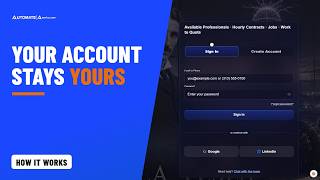
Keeping Your Automate America Account Yours: Phone Codes, Devices and Sessions
2:24
Thank you for trusting us with your account, your work and your pay details. Automate America keeps your account yours: a code to your phone when it matters, and you in control of every device. Someone who learns your password still can't sign in on a new device without your phone.
Read the transcript2:24
Chapters
- 0:00Your account stays yours
- 0:12What it means for you
- 0:23A code when you join, and on a new device
- 0:38Settings, Security: devices and sessions
- 0:51Phone and password changes
- 1:09What happens next
- 1:24No risk
- 1:35A password alone versus this
- 1:49The future of work — Thank you
Transcript
Thank you for trusting us with your account, your work and your pay details. Automate America keeps your account yours: a code to your phone when it matters, and you in control of every device.
So what does that mean for you? Someone who learns your password still can't sign in on a new device without your phone. And you can see everywhere you're signed in, and switch any of it off.
When you join, we text one six-digit code to confirm your phone. Joining with Google or LinkedIn asks for it too. Sign in with your email, or with your phone number. On a new device, we text you a code. After that, the device is remembered.
Open Settings, then Security. You'll see every device we remember, and every place you're signed in. Remove one, or all of them, any time. Your recent sign-ins are listed there too.
Changing your phone number needs your current password, and a code sent to the new number. A number that's already on another account can't be used. Change your password, and your other devices are signed out within a minute. Forgot it? Reset it from the sign-in page, by email, or with a code to your confirmed phone.
Here's what happens next. Sign out in one tab, and every tab signs out with you. Too many wrong passwords pauses sign-in for a while. You're never locked out for good. Thank you for keeping your phone number current. It's what keeps your account yours.
Staying safe costs you nothing, and there's no risk in requesting or applying, ever. Nothing is committed until the customer clicks Hire, or the professional clicks Accept Offer.
A password alone is easy to lose, guess or reuse. The old site never texted a code when you joined, and never showed you where you were signed in. Now your phone confirms it's you, and you decide which devices stay signed in.
Strong security that stays out of your way until it matters. This is the future of work.
Thank you for your time, and for looking after your account. Keep your phone number current, and never share a code with anyone. So look after each other out there, and get home safe tonight. Questions? Text 586-770-8083, or email Info@AutomateAmerica.com for more information. Stay safe. Stay free. Zero friction.

Your Data Is Yours: Download It or Delete Your Automate America Account
2:14
Thank you for every day you've spent on Automate America with us. Your data is yours: download it any time, and delete your account whenever you choose. Nothing about leaving is hidden; you see exactly what happens before you decide, and you get thirty days to change your mind.
Read the transcript2:14
Chapters
- 0:00Your data is yours
- 0:11What it means for you — Danger zone: download, then delete
- 0:30Thirty days to change your mind
- 0:47What stays, and why
- 1:03Tell us why
- 1:16No risk
- 1:26An email to support versus this
- 1:39The future of work — Thank you
Transcript
Thank you for every day you've spent on Automate America with us. Your data is yours: download it any time, and delete your account whenever you choose.
So what does that mean for you? Nothing about leaving is hidden. You see exactly what happens, before you decide. And you get thirty days to change your mind.
Open Settings, then Danger zone. Download your data first, if you'd like a copy. Then choose to delete your profile. The dialog lists exactly what happens.
Your profile comes out of our public listings right away. For thirty days, you can cancel from your account settings, and come straight back. After that, the nightly run removes your name, email addresses, phone numbers, photos, links and profile text.
Some things stay, and we tell you which. Messages you sent stay in the conversations of the people you sent them to. Financial records are kept for seven years, because the law requires it. And that email and phone number can't be used to join again.
Here's what happens next. Before you go, tell us why with Report a problem or suggestion. We'd love the chance to make it right. Thank you for the feedback. Every report makes this better for everyone.
While you're here, there's no risk in requesting or applying, ever. Nothing is committed until the customer clicks Hire, or the professional clicks Accept Offer.
Leaving a site usually means an email to support, and hoping someone acts on it. The old site had no way to delete your account or download your data. Now both are in your settings, in plain words, whenever you want them.
You stay because it works for you, never because leaving is hard. This is the future of work.
Thank you for your time, and for the trust you've given us. Whatever you decide, the door stays open, and we'd be glad to serve you again. So look after each other out there, and get home safe tonight. Questions? Text 586-770-8083, or email Info@AutomateAmerica.com for more information. Stay safe. Stay free. Zero friction.

Apprenticeships on Automate America: Earn While You Learn, Train the People You'll Need
2:36
Thank you for helping the next generation learn a trade. Apprenticeships on Automate America let people earn while they learn, and let companies train the people they'll need.
Read the transcript2:36
Chapters
- 0:00Earn while you learn
- 0:10What it means for you
- 0:24Finding an apprenticeship
- 0:35Applying: no skill required
- 0:51Posting one, free
- 1:16What happens next
- 1:29No risk in applying
- 1:40Word of mouth versus the open
- 1:55Where it leads, and thank you
Transcript
Thank you for helping the next generation learn a trade. Apprenticeships on Automate America let people earn while they learn, and let companies train the people they'll need.
So what does that mean for you? Starting out, or changing trades? Find paid apprenticeships and internships, with the pay range on every one. Companies, bring someone on early in their trade, and train them into the role you need.
Open the Apprenticeships page. Search by the skill you want to learn, or by city or state. Each listing shows the pay range, where it is, and what the role involves.
Apply with your profile, and add a note on why you want to learn. No skill is required to apply. For an apprenticeship, that's the whole point. The company sees your profile and your first name. If they shortlist you, they also see your full name, phone and email.
Companies, posting an apprenticeship is free. Choose Post Work, then Apprenticeship or Internship. Pick the occupation, then describe the role and the training. Add where it is, the dates, and the pay range: hourly, an annual salary, or a stipend. The first time you post, we'll ask for your company details. Review it and post it. It goes live right away, and stays listed a week at a time.
Here's what happens next. When an applicant fits, connect with them, then hire them directly, with no placement fee. Thank you to every company that trains people here. Each apprenticeship is a career started.
Applying is free, and there's no risk in requesting or applying, ever. Nothing is committed until the customer clicks Hire, or the professional clicks Accept Offer.
Apprenticeships usually travel by word of mouth, one shop at a time. The old site offered hourly contracts and direct jobs, with no way to post an apprenticeship. Now they're posted in the open, with the pay on the page, for anyone ready to learn.
See where it leads on the Trades page: from helper and apprentice, to journeyman, foreman and superintendent. Every apprentice today is the professional someone needs tomorrow. This is the future of work.
Thank you for your time, and for passing on what you know. Somewhere right now, someone is ready to learn the trade you've mastered. So look after each other out there, and get home safe tonight. Questions? Text 586-770-8083, or email Info@AutomateAmerica.com for more information. Stay safe. Stay free. Zero friction.

Like, Comment and Share on Automate America: Talk Shop Where the Work Is
1:54
Thank you for being part of the conversation. Contracts, jobs and posts in the feed each have Like, Comment and Share, so you can talk shop right where the work is.
Read the transcript1:54
Chapters
- 0:00Like, comment and share
- 0:18Likes, and commenting
- 0:32Edit, delete and report
- 0:49Post an update, and no risk
- 1:17The old site, and thank you
Transcript
Thank you for being part of the conversation. Contracts, jobs and posts in the feed each have Like, Comment and Share. So you can talk shop right where the work is.
So what does that mean for you? Ask a question on a contract, congratulate someone on a finished job, or share an update with the people you work with.
Press Like, and the count goes up. Likes are only ever a count, and no one sees who liked what.
Press Comment, type, and post. Everyone sees your first name and photo, and your connections see your full name.
Changed your mind? Edit your comment, and it shows Edited. Or delete it, any time.
See something that doesn't belong? Press Report, pick a reason, and it goes to our team. To keep everyone safe, a comment or post can't carry an email address, a phone number, or your full name.
Post an update, and it's public as soon as you post it. You can edit it or delete it any time, and anyone can report it.
Here's what happens next. Our team reviews posts after they go live, and can take down anything that breaks the rules. Thank you for keeping this a place people want to be.
There's no risk in commenting, posting, or applying, ever. Nothing is committed until the customer clicks Hire, or the professional clicks Accept Offer.
The old site had no feed, no comments and no likes at all. Now the work and the conversation about it live in one place.
Real work, and real people talking about it. This is the future of work.
Thank you for your time, and for building this network with us. So look after each other out there, and get home safe tonight. Questions? Text 586-770-8083, or email Info@AutomateAmerica.com for more information. Stay safe. Stay free. Zero friction.

Business Groups on Automate America: Your Whole Team Works as One
2:47
Thank you for trusting us with your team, and with your work. A business group lets your whole team work as one on Automate America, so the work keeps moving when someone is on vacation, or moves on. Nothing waits on one person's login.
Read the transcript2:47
Chapters
- 0:00Your whole team, as one
- 0:12What it means for you
- 0:25One location or division, the same rights for every manager
- 0:38The Business Group section
- 1:02Inviting a fellow manager
- 1:19Your group's employees
- 1:38What happens next
- 1:50No risk, no commitment
- 2:00One manager's login versus a shared place
- 2:15The future of work, and thank you
Transcript
Thank you for trusting us with your team, and with your work. A business group lets your whole team work as one on Automate America. So the work keeps moving when someone is on vacation, or moves on.
So what does that mean for you? Nothing waits on one person's login. Every manager in your group sees the group's postings, its applicants, its approvals and its professionals. And any manager can act on them.
A business group is one location or one division of your company. Say, the body shop at one plant, and the paint shop at another. Groups are never nested, and every manager in a group has the same rights.
Open your dashboard, and find the Business Group section. All work shows every posting from every manager in the group. Applicants shows everyone who applied to any of it. Approvals shows the timesheets and expense reports waiting on the group. Professionals shows your group's own people. Filter any tab to one manager when you need to, and every action there is logged with your name.
Want a fellow manager in the group? Invite them from My Team, with their email. Nothing changes until they accept, from their own account. Until then, you see that you're waiting for them to accept, and you can withdraw the invitation. Thank you to every manager who shares the load. It's what keeps the work moving.
Your group can add its own employees too. Upload their resume, and we fill in their profile. Their profiles are public, like every professional's, and customers can request them when they're available. A manager puts them forward for work. They never apply on their own. And they enter their own timesheets and expense reports.
Here's what happens next. Start or join your company's group, invite your fellow managers, and add your employees. Then run your postings, your applicants and your approvals together.
There's no risk in posting, requesting or applying, ever. Nothing is committed until the customer clicks Hire, or the professional clicks Accept Offer.
When one manager holds every posting and approval, everything waits while they're away. On the old site, a business group was only a label you picked when you signed up. Now it's a shared place to run the work, together. Thank you for building your team with us.
One team, every manager equal, and the work never waits on one person. This is the future of work. Thank you for your time. The next time someone on your team is away, the work keeps moving. So look after your people out there, and get everyone home tonight. Questions? Text 586-770-8083, or email Info@AutomateAmerica.com for more information. Stay safe. Stay free. Zero friction.

Your Secure Files on Automate America: Resume, ID and Documents, Private and Ready When the Work Is
2:24
Thank you for trusting us with your name, and with your paperwork. Your resume, your ID and your documents live on your profile, private, and ready the moment a customer needs them. Upload each one once, instead of emailing it to every company that asks.
Read the transcript2:24
Chapters
- 0:00Private, and ready when the work is
- 0:11What it means for you
- 0:23Secure and Personal Files
- 0:44Who can open them
- 0:59The three shortlist exceptions
- 1:13What happens next
- 1:25No risk
- 1:35Email attachments versus this
- 1:50The future of work, and thank you
Transcript
Thank you for trusting us with your name, and with your paperwork. Your resume, your ID and your documents live on your profile, private, and ready the moment a customer needs them.
So what does that mean for you? You upload each document once, instead of emailing it to every company that asks. And customers can see what you have on file, without ever opening it.
Open your Profile, and find Secure and Personal Files. There's a row for your resume, photo ID, background check, drug test, tax forms and insurance certificate. Upload a file, replace it with a newer one, download it, or delete it, any time. Every upload is checked, so a file has to be what it says it is.
Only you and Automate America's admins can open your files. Everyone else sees a tick beside what's on file, and for a drug test, the date it was taken. And every download uses a private link that expires within minutes.
There are three exceptions: your background check, your drug test and your photo ID. When a customer shortlists you, they can open them, so they can move ahead with you. If they take you off their shortlist, they stop being shared, straight away.
Here's what happens next. Keep your documents current, and apply with everything already in place. Thank you for keeping your paperwork up to date. It makes every contract easier, for everyone.
Uploading costs you nothing, and there's no risk in requesting or applying, ever. Nothing is committed until the customer clicks Hire, or the professional clicks Accept Offer.
Usually documents travel as email attachments, and sit in inboxes you'll never see again. The old site kept your background check on your own profile form, and stopped there. Now a customer can open them only while you're on their shortlist.
Your documents stay yours, and they're ready when the work is. This is the future of work.
Thank you for your time, and for the care you put into your work. The next customer who shortlists you will find everything already in place. So look after each other out there, and get home safe tonight. Questions? Text 586-770-8083, or email Info@AutomateAmerica.com for more information. Stay safe. Stay free. Zero friction.

Fill Your Automate America Profile From LinkedIn, With the AI Assistant You Already Use
2:37
Thank you for building your profile with us. The AI assistant you already use can now fill in your Automate America profile from your LinkedIn profile, so you never retype your career.
Read the transcript2:37
Chapters
- 0:00From LinkedIn to your profile — What goes onto your profile
- 0:25Connect your assistant, once
- 0:53Hand it your LinkedIn profile
- 1:12Check it, and your work history
- 1:23Make me available
- 1:34No risk, and what it can never do
- 1:54Retyping on every site versus one sentence
- 2:06The future of work, and thank you
Transcript
Thank you for building your profile with us. The AI assistant you already use can now fill in your Automate America profile from your LinkedIn profile.
So what does that mean for you? No retyping your career. Your occupation, your About me, your skills and years of experience, your education and your certifications go straight onto your profile. And a complete profile is the one customers find, and request.
Here's how to connect it, once. In Claude, open Customize, then Connectors, choose Add custom connector, and paste automateamerica.com slash api slash mcp. ChatGPT, and other assistants that take connectors, use the same address. The first time it acts for you, it shows a Connect button. You sign in on Automate America's own page, tick what it may do, and choose Allow. Your assistant never sees your password.
Now give it your LinkedIn profile. On LinkedIn, save your own profile as a PDF, or copy the text, and hand it to your assistant. Then say: add my LinkedIn info to my Automate America profile. It saves each part through your own profile editor, and reads it back to you.
Open your profile, and it's all there. Change anything you like, right on the page. Your work history goes in from the same PDF. Drop it on Start with your resume, at the top of your profile.
Here's what happens next. Tell your assistant: make me available. Customers looking for your skills can find you, and request you. Thank you for trusting us with your next contract.
There's no risk in being requested, or in applying, ever. Nothing is committed until the customer clicks Hire, or the professional clicks Accept Offer. Your assistant can never pay for anything, change your password, email or phone, or delete your account. Disconnect it any time, in Settings, Connected agents.
The usual way is typing the same career into every site, again, by hand. The old site had no way for an assistant to help you at all. Now one sentence to your assistant does it, for free.
Your time goes to the work, and your assistant handles the typing. This is the future of work.
Thank you for your time, and for building this network with us. So look after each other out there, and get home safe tonight. Questions? Text 586-770-8083, or email Info@AutomateAmerica.com for more information. Stay safe. Stay free. Zero friction.

Tell Your AI Assistant What Changed, and It Updates Your Automate America Profile
3:02
Thank you for keeping your profile up to date with us. Now you can tell the AI assistant you already use what changed, and it updates your Automate America profile for you.
Read the transcript3:02
Chapters
- 0:00Tell your assistant, and your profile updates
- 0:29Connect your assistant, once
- 0:45Languages, industries and articles
- 1:00Where you live, your service, your work
- 1:21It waits for your yes
- 1:42What happens next
- 1:54No risk: it never pays or signs
- 2:17The old way versus one sentence
- 2:38Thank you
Transcript
Thank you for keeping your profile up to date with us. Now you can tell the AI assistant you already use what changed, and it updates your Automate America profile for you.
So what does that mean for you? Your profile stays current, without opening the editor. The languages you speak, and the industries you know. The articles you have published, and where you work from. Your military service, and your work preferences. And a current, complete profile is the one customers find, and request.
Connect your assistant once. In Claude, add a custom connector with automateamerica.com slash api slash mcp. You sign in on Automate America's own page, tick what it may do, and choose Allow. Your assistant never sees your password.
Then say it the way you would say it to a friend. Add Spanish, I'm conversational. I work in packaging, and food and beverage. Add my article on robot cell safety. Each one is saved through your own profile editor, and read back, before your assistant tells you it's done.
I moved to Greenville, South Carolina. I served in the Army, from 2005 to 2011. I can travel, and I work Saturdays. The public sees your city and state, never your street address. Your assistant never reads or writes your street address at all. Your social links are seen only by the Automate America team.
Some changes wait for your yes. Removing something, or clearing a field, is shown to you first. Your emergency contact is another person's details. So your assistant shows it to you first, and you confirm the person agreed. Only you, Automate America, and a customer who hires you, see it, while the work is active.
Here's what happens next. Open your profile, and it's all there. Change anything you like, right on the page. Then tell your assistant: make me available. Thank you for trusting us with your next contract.
There's no risk in being requested, or in applying, ever. Nothing is committed until the customer clicks Hire, or the professional clicks Accept Offer. Your assistant can never pay for anything, or change your password, email or phone. It can never accept an agreement, upload a file, or delete your account. Switch it off any time, in Settings, Connected agents.
The usual way is signing in, finding the right section, and typing it in, one field at a time, on every site. The old site had no way for an assistant to help you at all. Now you say it once, and it's done, for free.
Your assistant keeps your profile current, and your time goes to the work. This is the future of work.
Thank you for your time, and for building this network with us. So look after each other out there, and get home safe tonight. Questions? Text 586-770-8083, or email Info@AutomateAmerica.com for more information. Stay safe. Stay free. Zero friction.

Hiring on White Glove: One Agreement Per Contract, and Take an Offer Back Before It's Accepted
2:38
Thank you for hiring through Automate America. On a White Glove contract, you sign one agreement for that contract, once, and everyone you hire on it is covered.
Read the transcript2:38
Chapters
- 0:00One agreement per contract
- 0:31How it works
- 0:48The professional answers
- 0:58Only you sign your agreement
- 1:11Changed your mind? Undo it
- 1:25What happens next
- 1:37No risk
- 1:53Calls and paperwork versus one agreement
- 2:14Thank you
Transcript
Thank you for hiring through Automate America. On a White Glove contract, you sign one agreement for that contract, once, and everyone you hire on it is covered.
So what does that mean for you? No staffing contract to negotiate, and no paperwork for each person. Automate America is your supplier of record. We handle the timesheets and the invoices, and we pay the professionals. You pay what you choose, the hourly rate you post, no more. No hidden fees, no memberships, no subscriptions.
Here's how it works. Open your contract's applicants, and press Send Offer on the professional you want. The first time, this contract's Master Service Agreement opens right there. Read it, tick the boxes, and sign. Then press Send Offer again, and it's on its way.
Now the professional answers. If their Supplier Services Agreement is out of date, the current one opens for them first. They accept it, and accept your offer.
Only you can sign your agreement. Not an admin, and not your AI assistant. When the agreement is updated, you sign the new version before your next offer or hire on that contract. Everyone already hired stays on theirs.
Changed your mind? Undo Hire steps back to Offer Sent, and frees the seat. From there, Withdraw Offer takes the offer back. They can no longer accept it, and they go back on your shortlist. Or press Reject.
Here's what happens next. Your professional sees the work's on-site contact, and gets to work. Each week they submit a timesheet, you approve it, and we invoice you on the terms you set. Thank you for trusting us with your work.
There's no risk in posting, shortlisting, or sending an offer, ever. Nothing is committed until the customer clicks Hire, or the professional clicks Accept Offer. And no professional is ever an employee of Automate America, or of yours.
Before, hiring help meant a private list, a round of phone calls, and new paperwork with every placement. The old site asked for the agreement again on every single offer. Now it's one open marketplace, one supplier of record, and one agreement per contract.
You choose the people, and we handle the rest. This is the future of work.
Thank you for your time, and for building this network with us. So look after each other out there, and get home safe tonight. Questions? Text 586-770-8083, or email Info@AutomateAmerica.com for more information. Stay safe. Stay free. Zero friction.

Your AI Assistant Answers Your Offers and Applicants on Automate America, With Your Yes on Every One
2:30
Thank you for the work you do, and for hiring through this network. Now your AI assistant can answer your offers, and your applicants, with your yes on every one.
Read the transcript2:30
Chapters
- 0:00Answer your offers in one sentence
- 0:10What it means for you
- 0:22Professionals: what offers do I have?
- 0:35Only you sign your agreement
- 0:47Customers: your applicants, your offer
- 1:05Reject, undo or take it back
- 1:16What happens next
- 1:26No risk
- 1:48An inbox versus one sentence
- 2:05Thank you
Transcript
Thank you for the work you do, and for hiring through this network. Now your AI assistant can answer your offers, and your applicants, with your yes on every one.
So what does that mean for you? An offer comes in while you're on a job site. Ask your assistant what it says, and answer it in one sentence. And if you hire, your assistant reads you your applicants, and moves them along.
Ask: what offers do I have? It lists them, with your own pay rate. Say: accept the offer for the Controls Engineer contract. It shows you the offer first, and accepts it only when you say yes.
Your assistant never signs anything for you. If an agreement still needs your signature, it sends you the link, and nothing is accepted. A request sent straight to you, you answer on the site yourself.
If you hire, ask: who applied to my contract? It reads you each applicant by first name. Say: send Zeta an offer. The offer is at the rate you posted, and your assistant can never change it. On a White Glove contract, you sign that contract's agreement yourself, before the first offer goes out.
It can also reject, undo, or take an offer back, and each one is shown to you first. Every step it takes is listed in Settings, Connected agents, under What it did.
Here's what happens next. Connect your assistant once, and tick what it may do for you. Then answer your next offer from wherever you are. Thank you for trusting us with your work.
There's no risk in being requested, or in applying, ever. Nothing is committed until the customer clicks Hire, or the professional clicks Accept Offer. Your assistant can never pay for anything, sign an agreement, or negotiate a rate. It never uploads a file, and never does anything in bulk. Switch it off any time, in Settings, Connected agents.
Most hiring still waits on an inbox someone checks every hour. The old site had no way for an assistant to help at all. Now one sentence answers an offer, or moves an applicant along.
You stay on the work, and your assistant keeps the hiring moving. This is the future of work.
Thank you for your time, and for building this network with us. So look after each other out there, and get home safe tonight. Questions? Text 586-770-8083, or email Info@AutomateAmerica.com for more information. Stay safe. Stay free. Zero friction.

How to Reach Automate America: Chat With Admin, the Contact Form, Text or Email, From Any Page
2:10
Thank you for being part of Automate America. Whenever you have a question, a real person is one message away, from any page, with an account or without one.
Read the transcript2:10
Chapters
- 0:00A real person, one message away
- 0:18Chat with Admin — Signed in or not, with a screenshot
- 0:47The Contact Us form
- 0:59A ticket number, text or email, and our hours
- 1:15What happens next — No risk
- 1:34A form and a wait versus the people building it
- 1:46Thank you
Transcript
Thank you for being part of Automate America. Whenever you have a question, a real person is one message away. From any page, with an account or without one.
So what does that mean for you? No ticket maze, and no inbox with no name behind it. You reach the people who run this network.
The fastest way is Chat with Admin, at the top of every page. It opens Automate America Support, with our text line and our hours right there.
Signed in, the chat is on your account, so your history stays with you. Not signed in yet? Just add your name and email first. Type your question, and attach a screenshot if it helps.
Your first message goes straight to our leadership team's phones. They can answer from their phone, and the answer lands right in your chat.
Prefer to write it all out? Open the Contact Us page. Add your name, your email, a category, a subject, and your message. You can dictate it, and attach a screenshot too.
Send it, and you'll get a ticket number, and we'll reply by email. Or text us at 586-770-8083, or email Info@AutomateAmerica.com. We're here from six in the morning to nine at night, Eastern, every day.
Here's what happens next. Open the chat from any page, and tell us what you need. Thank you for trusting us with your questions.
Asking us anything costs nothing. And there's no risk in being requested, or in applying, ever. Nothing is committed until the customer clicks Hire, or the professional clicks Accept Offer.
Most sites hand you a help page and a form, and you wait. The old site took a name, an email and a message, with no way to chat with us at all. Here, you talk to the people building it with you.
This is the future of work, and we're building it together. Thank you for your time, and for building this network with us. Questions? Text 586-770-8083, or email Info@AutomateAmerica.com for more information. Stay safe. Stay free. Zero friction.

Ask Your AI Assistant to Find a Professional on Automate America, in One Sentence
2:14
Thank you for hiring through this network. Now you can tell your AI assistant who you need, in one sentence, and it finds them on Automate America.
Read the transcript2:14
Chapters
- 0:00One sentence to your assistant
- 0:24Your sentence, read back
- 0:46Available next week
- 1:04Request, on your yes — What a request costs
- 1:33No risk
- 1:44Post and wait versus one sentence — Thank you
Transcript
Thank you for hiring through this network. The new Automate America was built for you and your AI agent. Now you can tell your AI assistant who you need, in one sentence, and it finds them on Automate America.
So what does that mean for you? A robot cell is down, or a project is one specialist short. You don't scroll a directory, and you don't guess at filters. You just ask.
Say: find me a robot programmer who knows ABB IRC5, near Detroit. It reads your sentence back the way the site understood it. Robot programmers who know ABB IRC 5, within 50 miles of Detroit.
Then it lists them by first name and city. And for each one, it says why they match: the occupation, the brand, and the model.
Need someone next week? Just say so. It reads next week as Monday to Friday. And it lists only people who said, in the last seven days, that they're free for all of it.
If a word isn't understood, it tells you, instead of guessing. And searching needs no sign-in at all.
Found the right person? Ask your assistant to request them. It shows you the request first, and sends it only when you say yes.
Here's what happens next. A standard request is $10, and you're charged only if they respond. With White Glove, you see exactly what you'll pay before you send it. We pay the professional, and we invoice you, as a traditional B2B transaction. We're your supplier of record. You pay what you choose, no more, with no hidden fees.
There's no risk in posting your work or in applying, ever. Nothing is committed until the customer clicks Hire, or the professional clicks Accept Offer. Thank you for trusting us with your work.
On the old site, you had to log in to check availability. Now one sentence finds the people who fit, and tells you why.
This is the future of work. Thank you for your time, and for building this network with us. Questions? Text 586-770-8083, or email Info@AutomateAmerica.com for more information. Stay safe. Stay free. Zero friction.

Ask Your AI Assistant to Find Your Next Contract on Automate America, in One Sentence
2:04
Thank you for the work you do. Now you can tell your AI assistant the work you want, in one sentence, and it finds it on Automate America.
Read the transcript2:04
Chapters
- 0:00One sentence to your assistant
- 0:22Your sentence, read back
- 0:46The equipment you know
- 1:00Work matched to you
- 1:11Apply, on your yes
- 1:25No risk
- 1:37Scroll and guess versus one sentence — Thank you
Transcript
Thank you for the work you do. The new Automate America was built for you and your AI agent. Now you can tell your AI assistant the work you want, in one sentence, and it finds it on Automate America.
So what does that mean for you? One contract is ending, and you want the next one lined up. You don't scroll, and you don't guess at filters. You just ask.
Say: find me a robot programmer contract near Detroit, paying at least $60 an hour. It reads your sentence back the way the site understood it. Robot programmer contracts, within 50 miles of Detroit, at $60 an hour or more.
Then it lists each contract that fits, by title and city. Open one, and it reads you the rate the posting shows, the dates and the skills.
Know a brand of equipment? Say it. Ask for contracts that use FANUC, and you get only the work that names FANUC.
If a word isn't understood, it tells you, instead of guessing. And searching needs no sign-in at all.
Signed in, ask what fits you. It finds open work matched to your profile. And it marks each requirement met, not met, or unknown, with the reason.
Found the right one? Ask your assistant to apply. It shows you the application first, asks the posting's questions, and applies only when you say yes. Applying accepts the rate on the contract. No bidding, and no negotiating.
There's no risk in applying, ever. Nothing is committed until the customer clicks Hire, or you, the professional, click Accept Offer. Thank you for trusting us with your next contract.
Now one sentence finds the work that fits, and tells you why.
This is the future of work. Thank you for your time, and for building this network with us. Questions? Text 586-770-8083, or email Info@AutomateAmerica.com for more information. Stay safe. Stay free. Zero friction.

Tell Your AI Assistant to Set Up an Interview on Automate America, in One Sentence
2:06
Thank you for every interview you make time for. Now you can tell your AI assistant to set one up, in one sentence, on Automate America.
Read the transcript2:06
Chapters
- 0:00One sentence to set it up
- 0:18Shown to you first
- 0:41The other side accepts
- 0:55Your own meeting app
- 1:06Plans change
- 1:21No risk
- 1:32Phone tag versus one sentence
- 1:43Thank you
Transcript
Thank you for every interview you make time for. Now you can tell your AI assistant to set one up, in one sentence, on Automate America.
So what does that mean for you? No email back and forth to find a time. You say who, what kind of meeting, and the times that work for you.
Say: ask Zeta for a video meeting about the Controls Engineer contract, Tuesday at 2 or Wednesday at 9:30. It shows you the request first: who, about which work, and the times you propose.
Say yes, and it's sent. It shows up on their Interviews page. Interviews are with people connected to your work: someone who applied, was offered the work, or works it.
On the other side, the professional's assistant lists the request. Say: accept Tuesday at 2, on Google Meet, and here's my link. It shows you the time first, and schedules it only when you say yes.
Use the meeting app you already have: Microsoft Teams, Zoom, Google Meet, or Webex. Paste your link, and you both see the interview on your Interviews page, ready to join.
Plans change? Ask it to cancel, with a reason. It shows you first, and contact details in a message are never passed on.
Want it on your calendar too? Just ask. It adds the interview to your own calendar, and only you see it.
An interview commits nobody. There's no risk, ever. Nothing is committed until the customer clicks Hire, or the professional clicks Accept Offer. Thank you for trusting us with your time.
Finding a time used to mean emails and phone tag. The old site had no way to set up an interview at all. Now one sentence does it, and nothing goes out until you say yes.
This is the future of work. Thank you for your time, and for building this network with us. Questions? Text 586-770-8083, or email Info@AutomateAmerica.com for more information. Stay safe. Stay free. Zero friction.

Ask Your AI Assistant to Request a Quote on a Product, in One Sentence, on Automate America
1:49
Thank you for buying from the people who make this network. Now you can ask your AI assistant to request a quote on a product, in one sentence.
Read the transcript1:49
Chapters
- 0:00A quote in one sentence
- 0:16Shown to you first
- 0:26It stays on the site — In the seller's Messages
- 0:42Request a Quote yourself — What happens next
- 1:03No risk — Voicemail versus one sentence
- 1:26Thank you
Transcript
Thank you for buying from the people who make this network. Now you can ask your AI assistant to request a quote on a product, in one sentence.
So what does that mean for you? You find the part you need. You don't hunt for a form or an email address. You just say what you need.
Say: ask for a quote on this one, two units, delivered next month. Before anything is sent, it shows you the exact words, and who they go to.
A first message stays on the site. Put a phone number, an email or a link in it, and it isn't sent.
Say yes, and it's a message in the seller's Messages, opened with the product's name. Their reply comes back to your Messages, and you answer it there.
Rather do it yourself? On the product's page, click Request a Quote. Type your message, and send it. The same message, to the same place.
Here's what happens next. Connect your assistant once, and tick what it may do for you. Every step it takes is listed in Settings, Connected agents, under What it did. Thank you for trusting us with your business.
Asking for a quote commits you to nothing. There's no risk, ever. Nothing is committed until the customer clicks Hire, or the professional clicks Accept Offer.
Call around for a quote, and you leave a voicemail and wait for a call back. The old site listed a company's products as a line of text on its profile. Here, one sentence puts your question in the seller's Messages.
This is the future of work. Thank you for your time, and for building this network with us. Questions? Text 586-770-8083, or email Info@AutomateAmerica.com for more information. Stay safe. Stay free. Zero friction.

Ask Your AI Assistant to Save a Product or Endorse a Seller You Trust, on Automate America
1:51
Thank you for finding what you need on this network. Now you can ask your AI assistant to save a product or a service, or endorse one, in one sentence.
Read the transcript1:51
Chapters
- 0:00Save or endorse in one sentence
- 0:19Save it, privately — What have I saved?
- 0:32Endorse, on your yes
- 0:44For the seller's connections — Take it back
- 1:04No risk
- 1:14A bookmark versus one sentence
- 1:28Thank you
Transcript
Thank you for finding what you need on this network. Now you can ask your AI assistant to save a product or a service, or endorse one, in one sentence.
So what does that mean for you? You keep what you'll need later, without hunting for it again. And you back a seller you trust, right where it counts: on their listing.
Say: save this one. It's on your saved list at once. Saving is private, and nobody is told.
Later, say: what have I saved? It reads your list back, each one by name, with the seller.
Connected with the seller? Say: endorse it. It shows you first, and endorses it only when you say yes. The listing shows how many endorsed it, never who, and it helps the listing rank.
Not connected with the seller? It tells you so. The listing offers Endorse to the seller's connections.
Here's what happens next. Changed your mind? Say take it off my list, or take my endorsement back. Every step it takes is listed in Settings, Connected agents, under What it did. Thank you for trusting us with your business.
Saving or endorsing commits you to nothing. There's no risk, ever. Nothing is committed until the customer clicks Hire, or the professional clicks Accept Offer.
A bookmark keeps a link, and forgets who sold it. On the old site, a company's products were one line of text, with nothing to save and nothing to endorse. Now one sentence saves it, or backs the seller you trust.
This is the future of work. Thank you for your time, and for building this network with us. Questions? Text 586-770-8083, or email Info@AutomateAmerica.com for more information. Stay safe. Stay free. Zero friction.

Tell Your AI Assistant to Like, Comment on or Report a Post on the Automate America Feed
1:56
Thank you for keeping the feed useful for everyone in it. Now you can tell your AI assistant to like a post, comment on it, or report it, in one sentence.
Read the transcript1:56
Chapters
- 0:00Like, comment or report in one sentence
- 0:18Like it — Comment, on your yes
- 0:41Hide what isn't for you
- 0:51Report, on your yes — What happens next
- 1:13No risk — No conversation versus one sentence
- 1:33Thank you
Transcript
Thank you for keeping the feed useful for everyone in it. Now you can tell your AI assistant to like a post, comment on it, or report it, in one sentence.
So what does that mean for you? You're on a job, and someone posts a commissioning win. You stay in the conversation, without leaving the work.
Say: like that post. It's done at once. A like shows only as a count, never who.
Say: comment, great work, congratulations. It shows you your exact words first, and posts them only when you say yes. Change your mind? Ask it to edit your comment, or delete it.
Public words stay on the site. A phone number or an email in a comment isn't posted.
A suggestion card you don't need? Say: hide those. That kind of card leaves your own feed, and nobody else's view changes. Ask, and it brings them back.
See something that doesn't belong? Say: report this post as spam. It shows you first, and the report reaches our team when you say yes.
Here's what happens next. Connect your assistant once, and tick what it may do for you. Every step it takes is listed in Settings, Connected agents, under What it did. Thank you for trusting us with your voice on the feed.
A like or a comment commits you to nothing. There's no risk, ever. Nothing is committed until the customer clicks Hire, or the professional clicks Accept Offer.
On the old site, there was no conversation to join: no posts, no likes, no comments. Now one sentence keeps you in the conversation, from wherever you are.
This is the future of work. Thank you for your time, and for building this network with us. Questions? Text 586-770-8083, or email Info@AutomateAmerica.com for more information. Stay safe. Stay free. Zero friction.